
Choose Stripe when your business needs recurring billing, more checkout control, or room for payment complexity to grow. Choose PayPal when you want to get paid faster with less setup, a familiar buyer experience, and a lighter ongoing operating burden. The better fit depends on how your business gets paid and who will own checkout after launch.
Choose the Right Payment Platform Based on How Your Business Gets Paid
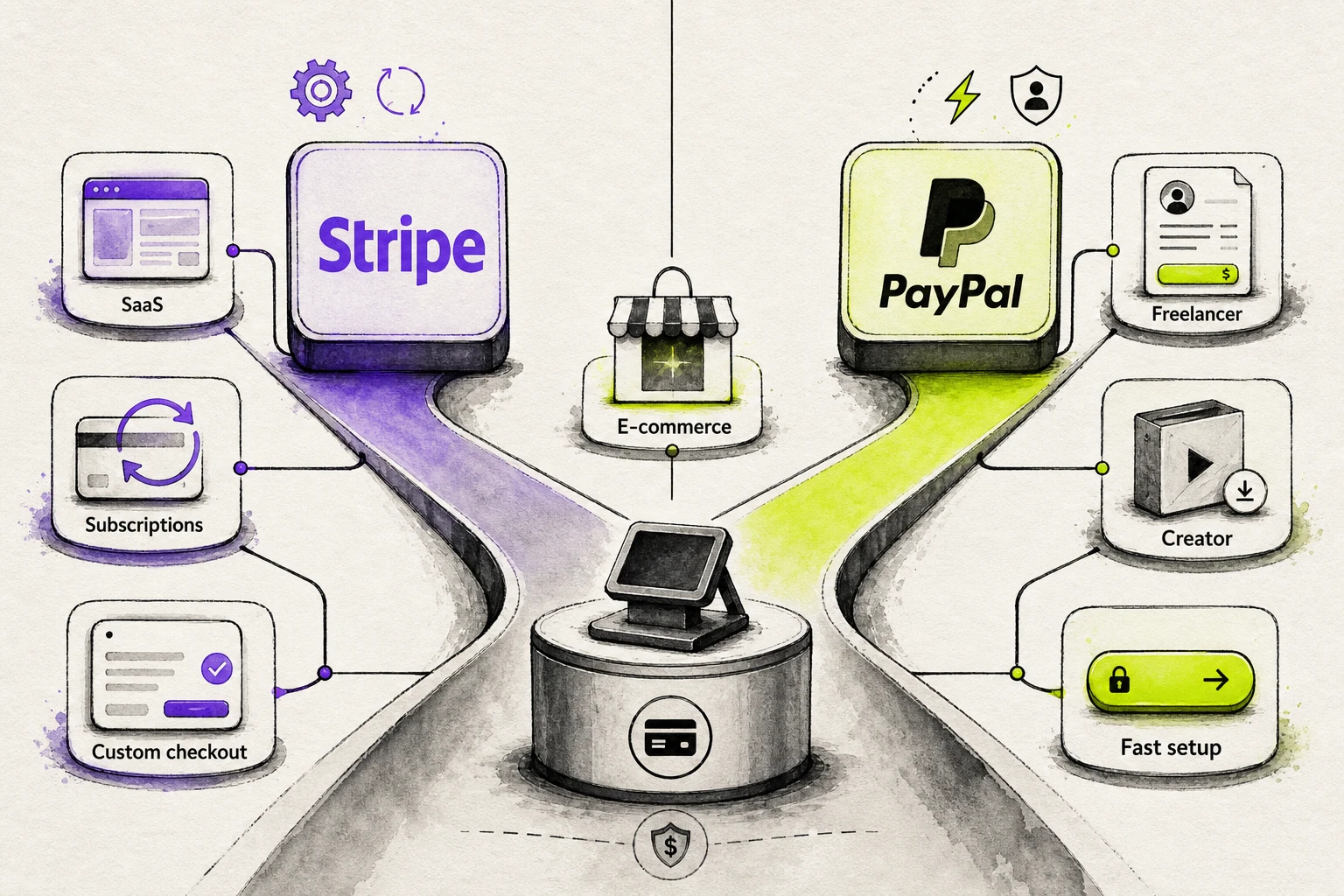
A fast Stripe versus PayPal decision starts with the fit question: how does the business collect revenue, and how much control does the team need around that process? If the business depends on recurring payments, product-led sign-up paths, or a more tailored customer flow, Stripe is usually the better directional recommendation. If the priority is getting paid quickly with less setup work and a familiar buyer experience, PayPal usually moves faster.
- Choose Stripe First When the Business Acts More Like a System: recurring revenue matters, the checkout flow needs to match the product, and the team expects the payment processor to support more control over how customers pay.
- Choose PayPal First When the Business Acts More Like a Quick-Launch Operation: the team wants a payment platform that is easier to put in place, the buyer already recognizes the brand, and the operating burden needs to stay light.
- Treat This as a First-Pass Filter, Not a Final Verdict: the right payment processor here is the one that fits the business model before anyone gets distracted by a longer feature list.
That keeps the opening recommendation practical. The deeper comparison still needs to test fees, setup burden, and checkout behavior, but the first split should come from how the business gets paid, not from which payment platform sounds more impressive on paper.
Start With Your Business Model, Not the Feature List
Feature checklists flatten decisions that are actually operational. A business-model-first approach means asking whether the company needs a payment provider for recurring billing, tighter checkout ownership, and room to shape the payment flow, or whether it mainly needs a simple way to start collecting money without adding much complexity. The sales model usually tells readers more than the spec sheet does.
That is why this comparison starts with structure, not inventory. Two tools can both process payments, but they create different workloads once setup, customer flow, and day-to-day use enter the picture. The next step is to map that directional recommendation to actual business types, making the choice easier to apply.
Which Businesses Should Choose Stripe, and Which Businesses Should Choose PayPal?
Business-type fit gets clearer when you judge operating needs, not features. Stripe usually fits businesses that want more control and room for billing complexity, while teams that want faster launch and familiar payment solutions often choose PayPal. That split matters more than extras like PayPal Credit until cost pressure-tests it further.
| Business type | Likely fit | What usually decides it |
|---|---|---|
| SaaS and subscription | Stripe | Recurring logic outweighs launch speed |
| Freelancers and simple sellers | PayPal | Speed and less setup outweigh customization |
| E-commerce brands | Depends | Control versus familiarity at checkout |
| Creators and one-off sellers | PayPal | A simple path to payment beats infrastructure depth |
| Brick-and-mortar businesses | Usually neither as a primary system | Both work better as add-on payment solutions |
SaaS and Subscription Businesses Usually Need Stripe
Recurring revenue changes the decision. In a subscription business, payments start shaping how the product runs, not just how checkout works.
Stripe usually fits better when recurring payments are part of the offer itself. The case gets stronger as recurring billing adds plan changes, billing rules, or workflow changes over time.
PayPal can still work for a simpler payments pro setup, but the fit weakens as subscription logic deepens. If billing is likely to become part of the product experience, Stripe is usually the safer directional choice.
Freelancers, Solopreneurs, and Low-Complexity Sellers Often Move Faster With PayPal
When the job is simply to get paid and move on, customization usually drops down the priority list. That is why PayPal is often the easier starting point for solo operators and many small businesses.
PayPal usually fits when the seller wants less setup and does not want to build or maintain a custom payment process. That is especially true for simple service work, low-complexity selling, or early-stage offers where speed matters more than control. Stripe becomes easier to justify once custom workflows or near-term scale are already part of the plan.
E-Commerce Brands Need to Balance Checkout Control Against Buyer Familiarity
This is the closest call for online stores. The real question is whether the next gain is more likely to come from brand control or from a familiar checkout choice.
- Lean toward Stripe when branded checkout control and payment-flow ownership are more likely to improve the buying experience.
- Lean toward PayPal when buyer familiarity is more likely to reduce hesitation.
- Use This Tie-Break: Pick the option most likely to improve the funnel now.
Creators and One-Off Sellers Often Do Better With PayPal's Faster Setup
A fast path to payment is often enough for creator sales. When the goal is to sell a download, a session, or a single offer through a payment link, PayPal usually matches the workflow better.
That recommendation is strongest when the creator wants a simple launch and the revenue pattern is still one-off or lightweight. Stripe starts to make more sense once the business begins to act more like a structured product, membership, or repeatable system.
Brick-and-Mortar Businesses Should Treat Both as Add-Ons, Not a Full POS Answer
- Caution: For brick and mortar businesses, both platforms make more sense as add-ons than as the main retail operating system.
- Boundary: They can support online selling and some in person payments, but this is not a full POS review for retail stores.
- Safe Next Step: If the business is mainly online, either can play a supporting role. If it is mainly in person, keep this choice secondary.
Choose Stripe if You Need Control, Customization, or Room to Grow
- Choose Stripe if checkout or billing needs are likely to become more complex.
- Choose Stripe if you want more control over how payments fit into the product or customer journey.
- Choose Stripe if the team can accept more setup burden for longer-term flexibility.
- Choose Stripe if refining the payment experience will stay on the roadmap.
- If three or more fit, the business is probably leaning toward Stripe for the right reason.
Choose PayPal if You Need Speed, Simplicity, or Immediate Buyer Confidence
- Choose PayPal if you want to start accepting payments with less setup.
- Choose PayPal if buyer familiarity matters more than checkout customization right now.
- Choose PayPal if the business has relatively simple payment needs today.
- Choose PayPal if you prefer a lighter ongoing burden after launch.
- If most of those statements fit, choose PayPal because speed and buyer confidence are doing more work than extra control would.
If the Decision Is Close, Let Setup Burden and Checkout Behavior Break the Tie
When both options look viable, use two tie-breakers: how much setup the team can absorb and how buyers respond at checkout.
| Deciding factor | Stripe | PayPal |
|---|---|---|
| Setup burden | Better when the team can absorb more implementation work | Better when the team wants a lighter path live |
| Checkout behavior | Better when controlling the branded payment experience matters most | Better when familiar buyer behavior is more likely to help immediately |
| Best tie-break use | Choose when long-term control matters more than launch speed | Choose when faster launch and instant familiarity matter more than control |
Fees Change With Volume, Chargebacks, and Average Order Value
A business-type recommendation is only the first pass on cost. Similar-looking transaction fees can separate once transaction mix, average order value, disputes, refunds, cross-border sales, billing volume, and billing tools enter the model. Compare processing fees to how customers actually pay, then account for Stripe charges, PayPal charges, monthly fees, additional monthly fees, Stripe costs, and PayPal's fees.
| Fee driver | Stripe | PayPal | Why it matters |
|---|---|---|---|
| Standard online card pricing | Cards and wallets: 2.9% + 30¢ per successful domestic card transaction | PayPal Checkout: 3.49% + 49¢ fixed fee | Baseline pricing can separate once average order value changes. |
| Alternate card path | Adds 0.5% for manually entered cards | Different card products use different rows, including Standard Card and Advanced Credit and Debit | Product path can create a fee difference. |
| ACH or bank-based payments | ACH Direct Debit: 0.8%, capped at $5 | ACH Services: 0.80%, capped at $5.00 per transaction | Can lower card-replacement costs in specific workflows. |
| Disputes and chargebacks | Dispute received fee $15; dispute countered fee $15; Smart Disputes fee 30% of the disputed amount for disputes you win | Dispute fee $15 for Standard or $30 for High Volume; separate card chargeback fee $20 in specified flows | Exception costs can outweigh small base-rate gaps. |
| Cross-border and currency | Adds 1.5% for international cards and 1% for currency conversion | Adds 1.50% for international commercial transactions; currency conversion spread 4.00% for converting payments and 3.00% for other cases | International sales often create the first real gap. |
| Refunds | Original processing fees are not returned | Original fees paid to receive the payment are not returned | Returns-heavy businesses should model refunds explicitly. |
| Recurring billing tools | Stripe Billing pay as you go: 0.7% of billing volume | Optional monthly fees include Recurring Billing at $10 per month and Recurring Payment Tool at $30 per month | Subscription math shifts when billing tools add cost. |
Stripe vs PayPal Fees Look Similar Until Your Mix Changes
Posted rates can look close at first, but they do not capture every payment path. Stripe's standard transaction fees are clearer on the domestic card side, then extra costs appear when cards are manually entered, used internationally, or converted across currencies. PayPal spreads more of its online transactions across product rows, so the fee difference depends on whether the payment runs through PayPal Checkout, Standard Card, or Advanced Credit and Debit. In a Stripe vs PayPal comparison, the practical call is simple: start with how customers actually pay, not the lowest-looking line in a pricing table.
Average Order Value Can Flip the Cheaper Option
Average order value changes how hard the fixed fee hits each sale. When ticket sizes are small, that flat amount takes a bigger share, so lower fees on paper matter differently in practice.
Using the domestic example in the research, Stripe's formula is 2.9% + 30¢ and PayPal Checkout's formula is 3.49% + 49¢. On a $10 order, Stripe comes to 59¢, while PayPal Checkout comes to about 84¢. On a $100 order, Stripe comes to $3.20, while PayPal Checkout comes to about $3.98.
That is the practical point: smaller orders feel the fixed fee more sharply. If a different PayPal row or cross-border extras apply, average order value can shift the result again.
Chargebacks and Cross-Border Costs Are Where Surprises Start
Base pricing is only part of the picture. Surprise costs usually show up with disputes, international buyers, or frequent refunds, and they can matter more than small gaps in headline transaction fees.
- Check dispute pricing, not just card pricing. Stripe lists a dispute received fee, a dispute countered fee, and whether Smart Disputes is in use.
- On PayPal, check whether you are in Standard or High Volume dispute pricing and whether a separate card chargeback fee applies to that flow.
- Check international commercial add-ons and currency conversion costs before using domestic pricing as your true margin.
- Check refund economics if returns are common. On both platforms, the original transaction fees are not returned.
- Match these exception costs to your real sales pattern before treating base pricing as decisive.
You Do Not Need a Traditional Merchant Account, but the Account Model Still Matters
Neither option requires a separate traditional merchant account, but the account model still shapes daily operations. With Stripe, a business uses a Stripe account for its business account setup and receives payouts to a linked bank account on a schedule. With PayPal, funds land in a PayPal account first, then the business moves that balance to a bank account or eligible debit card. In plain terms, Stripe feels closer to processor to bank movement, while PayPal adds an account-balance layer.
- Stripe: combines processing and merchant account functionality, with scheduled payouts to a bank account.
- PayPal: receives funds first in a PayPal account, then supports withdrawal to a linked bank account or eligible debit card.
- Operational Caution: PayPal describes reserve balances in its business resources.
- Timing Caution: Stripe documentation shows a United States settlement example of 2 business days, not a universal rule.
PayPal Wins on Speed if You Need a Simpler Payment Process
After cost questions are out of the way, the next issue is operational: how much work stands between the team and its first live transaction. PayPal usually shortens time to first payment because the payment process is lighter to launch, while Stripe asks for more setup decisions before a business can fully accept payments.
- Choose the simpler path when launch speed matters more than checkout tailoring.
- Accept more setup burden when the team wants tighter control over how the payment process works after launch.
- Use post-launch ownership as the tie-break, because the team maintaining checkout will feel the tradeoff most.
PayPal Gets Non-Technical Teams Live Faster
Speed matters when a business needs an online payment option without turning setup into a product project. In practical terms, PayPal often works because the path to first payment is narrower, so a non-technical team can focus on getting paid rather than designing a custom flow.
- Start with a basic payment need, such as sending invoices, adding a button, or collecting a simple online payment on an existing site.
- Connect the business details needed to receive funds, so the team can move from account setup to payment collection without mapping a custom checkout structure.
- Place PayPal where customers already expect it, which reduces the number of launch decisions and can feel close to going live in just a few clicks.
- Hand day-to-day use to operations or sales, especially when the goal is to collect payments consistently without engineering support.
- Escalate only when exceptions appear, such as buyer questions that need phone support or edge cases that require a more tailored checkout.
Stripe Takes Longer up Front, but Gives More Control Over Setup
A slower start is not wasted effort if the business wants checkout to match the product, not just collect money. Stripe usually adds setup burden because the team has to make more upfront choices about how to process payments, handle billing logic, and fit checkout into the rest of the customer experience.
- Begin by deciding how checkout should behave inside the product or site, rather than starting from a default payment button.
- Map the billing rules early, including what the business needs from subscriptions, saved payment details, or branded flows.
- Connect payment collection to the broader customer journey, so finance, product, and support are not working from separate assumptions later.
- Plan for testing and ownership before launch, because more control at setup usually means more choices to review before the team can confidently process payments.
- Treat the extra work as an investment in fit if the business expects checkout requirements to grow with the product.
The Right Choice Depends on Who Will Own Checkout After Launch
The cleanest tie-break is checkout ownership. If the people running checkout after launch are closer to operations or marketing, they usually benefit from a simpler path. If product or engineering will keep refining the experience, more setup burden can be worth it because the team can shape the system around business needs instead of working around defaults.
- Lean toward PayPal when operations, sales, or marketing needs a reliable way to collect payments without ongoing product involvement.
- Lean toward Stripe when product or engineering expects checkout ownership to include iteration, billing logic, or tighter experience control.
- Choose the faster route when time to first payment matters more than brand-level checkout decisions.
- Choose the more deliberate route when checkout ownership will stay inside the product roadmap after launch.
That is the real tradeoff the next decision has to test: whether extra setup work buys meaningful control or just slows the team down.
Developer Control Is Where Stripe Pulls Away From PayPal
Setup time only matters if the extra work changes what the business can actually build. In this comparison, the real split is not feature count. It is whether payments need to act like product infrastructure, with flexible payment flows and room to shape checkout over time, or whether a familiar default path through established payment gateways is already enough to support the business.
| Vendor | Best for | How it differs |
|---|---|---|
| Stripe | Teams that want more checkout control, customization, and room for billing complexity to grow | The payoff comes when control over the payment experience matters more than launching as fast as possible. |
| PayPal | Businesses that want a proven default and lighter build work | The advantage comes when familiar buyer behavior and a simpler setup are more likely to help immediately. |
The next sections break that choice into three cases: Stripe-heavy control scenarios, PayPal's proven default path, and the narrow both-platform scenario.
Stripe Fits Teams That Want Custom Billing, Subscription Logic, and Deeper Product Control
Stripe becomes easier to justify when payments are tied to how the product works, not just to how money is collected. Developer control means the business can shape custom billing logic around the customer experience, internal rules, and future changes instead of accepting a fixed path. In plain terms, Stripe fits better when checkout, renewals, and account-level rules need to match the product rather than sit beside it as a generic add-on.
- Choose Stripe when the recurring payment tool needs to evolve with the offer, especially if subscription billing may become more layered over time.
- Choose Stripe when the team wants payment flows that can be refined as the business learns more about upgrades, renewals, or account changes.
- Choose Stripe when handling credit card data and checkout behavior feels closely tied to the product experience, not separate from it.
- Choose Stripe when the business needs a more tailored path for Stripe payments now, or when the team expects Stripe supports broader control as the operation grows.
PayPal Fits Businesses That Want a Proven Default Without Heavy Build Work
Some businesses do not need payment infrastructure to carry product logic. They need a checkout option buyers recognize, a path the team can launch quickly, and less pressure to tailor every step. That is where PayPal's proven default holds up well. If the goal is to integrate PayPal into an existing sales flow with less build effort, the tradeoff is reasonable. PayPal offers a simpler recommendation when familiarity, reliability, and near-term speed matter more than deeper customization later.
When Both Stripe and PayPal Make Sense
A hybrid setup works best in narrow cases, not as a default answer. The logic is simple: one platform handles backend control, while the other helps meet buyer expectations at checkout. That can be a practical answer when a pure Stripe or PayPal choice would solve only half of the problem.
- Backend-First Scenario: Use Stripe for billing logic and backend flexibility, then add PayPal when buyer familiarity may reduce hesitation.
- Checkout-Choice Scenario: Run Stripe as the primary customized checkout path, then offer PayPal as an extra option for customers who prefer it.
- Mixed-Signal Scenario: Consider both Stripe when internal needs point toward control, but the audience still responds to Stripe and PayPal as recognizable payment choices.
That hybrid setup should stay narrow and intentional. Once the reader has that frame, the next question is whether this control-versus-default tradeoff still holds when the business starts selling across borders.
Global Payments and International Transactions Work Differently on Stripe and PayPal
International fit with Stripe and PayPal is less about whether a platform can take money from abroad and more about how your payment operations will change as new markets add complexity. For global payments, Stripe is usually a better directional fit when checkout, localization, and payment operations will keep evolving, while PayPal often fits businesses that want simpler international transactions with less setup pressure. Currency conversion can add friction either way, so the real question is whether the business needs basic acceptance or room to adapt.
| Vendor | Best for | Operational difference |
|---|---|---|
| Stripe | Growing businesses expanding across multiple markets | Better when checkout and payment operations may need to adapt over time |
| PayPal | Businesses that want simpler international acceptance | Better when a lighter setup and familiar buyer behavior matter more right now |
Stripe Usually Gives Growing Businesses More Flexibility for Global Payments
Stripe usually pulls ahead when international growth changes the job itself. A business that starts with occasional foreign orders can end up needing market-by-market checkout decisions, different operational rules, and a setup that keeps changing as expansion continues. In that context, global payments stop being a simple acceptance question and become a flexibility question.
That is where Stripe tends to fit better. Its directional advantage in this comparison is not that it simply works internationally, but that it is better aligned with businesses expecting their international setup to evolve over time. In plain terms, if the team expects to keep adjusting how checkout works across markets, Stripe is often the safer long-term fit.
PayPal Can Be Easier for Basic International Transactions
PayPal makes more sense when the international need is narrower. If the goal is basic international transactions, not deep localization or ongoing checkout changes, a simpler path can be the better business decision.
That is the core PayPal case here. It tends to fit businesses that want straightforward cross-border acceptance with a lighter setup burden, especially when convenience matters more than near-term optimization. Put simply, if the business mainly needs to get paid by buyers in other countries without building a more adaptable international system, PayPal is often enough.
Local Payment Methods and Currency Friction Matter More as You Expand
International expansion usually breaks the idea that availability alone decides platform fit. Once selling shifts from occasional foreign orders to deliberate market growth, local payment friction starts showing up in buyer behavior, support issues, and checkout performance. That includes payment methods buyers expect, plus currency-related hesitation that can slow the sale even when the platform technically accepts the payment.
- Check whether local buyer expectations differ from your default checkout flow, including where ACH payments or ACH debit may signal broader payment methods expectations in your market.
- Watch for currency friction that creates hesitation, confusion, or extra operational steps after the buyer reaches checkout.
- Reassess platform fit when international sales move from occasional orders to active expansion across multiple markets.
- Treat local buyer preferences as the real test. Accepting payment abroad is only part of the job.
Checkout Trust, Payment Methods, and Failed Payments Shape Platform Fit
Global reach can narrow the shortlist, but the real decision often gets made at checkout. Platform fit here is less about headline features and more about what buyers recognize, how much control the team needs over payment methods and the checkout page, whether the tool fits the current stack, and how much failed payments friction the business can absorb after launch.
- Trust Cue: Does buyer familiarity help reduce hesitation in this purchase context without assuming a measurable checkout conversion lift?
- Checkout Control: Does the business need tighter control over layout, branding, flow, and how payment methods appear?
- Stack Compatibility: Does the platform fit the current store, billing, CRM, and payment information workflows with low disruption?
- Operational Follow-Through: When failed payments happen, can the team identify the cause, recover revenue, and support customers without excess friction?
PayPal's Familiarity Can Lift Conversion When Buyers Want Instant Trust
Some buyers decide in seconds whether a checkout feels safe enough to finish. In those moments, PayPal familiarity can act as an instant customer trust cue because many shoppers already recognize the brand, expect buyer protection, and associate PayPal Checkout with a known payment path. That does not prove a universal lift, and it should not be treated as a hard performance claim. It is a context signal. For a first-time seller, a one-off purchase, or a transaction where reassurance matters more than a tailored interface, visible buyer protection and seller protection programs can lower hesitation enough to influence the final click.
Stripe Gives More Control Over the Checkout Experience and Payment Methods
Control matters when the business wants checkout to match the rest of the buying journey instead of feeling like a separate tool. Stripe's edge here is checkout control: the ability to shape the checkout experience around branding, flow, and payment-method fit rather than relying on a more standardized path. In plain terms, that means the team can tune the checkout page to the product, the audience, and the broader funnel.
- Presentation Control: how the checkout page looks, how tightly it matches the site, and how much brand continuity matters before a customer enters payment details.
- Flow Control: whether the business wants fewer redirects, a more tailored sequence, or clearer prompts around a major credit or debit card choice.
- Payment-Method Fit: whether the audience expects digital wallets, major credit cards, or other payment methods to appear in a specific way for the purchase context.
- Operational Control: whether the team wants checkout behavior to align closely with subscriptions, upsells, account creation, or post-purchase steps already built into the product.
Your Existing Checkout Stack and Integrations Matter More Than Feature Count
A longer feature list does not help if the platform creates extra handoffs inside the current stack. Stack compatibility means the payment layer works cleanly with the systems already handling storefront logic, billing, CRM records, analytics, support, and payment information.
- Check whether the platform fits the current cart, site builder, or subscription flow without a rebuild.
- Check whether customer, order, and payment information lands where the team already works.
- Check whether refunds, support actions, and reporting can happen inside existing workflows.
- Check whether the team would need new plugins, custom work, or duplicate dashboards to operate day to day.
Failed Payments Create More Operational Friction Than Most Comparisons Admit
A checkout can look polished and still create downstream drag when payments fail. Failed-payment friction is the support load, retry work, and revenue follow-up that begins after the customer hits an error or a renewal does not go through. That is where platform choice starts affecting operations, not just presentation.
- If failed payments are rare and easy to review, the business can focus mostly on front-end fit.
- If failed payments create repeated support tickets, start by asking whether the team can see the likely cause quickly, such as expired details, customer abandonment, or a blocked transaction.
- If recovery depends on follow-up emails, account alerts, or internal review, ask which platform fits the team's existing fraud protection, support, and billing workflow with less friction.
- If payment failures would interrupt subscriptions, delay fulfillment, or create customer service churn, treat that operating burden as a selection factor, not an afterthought.
Final Stripe vs PayPal Recommendation by Business Type
The decision is simpler once the comparison is compressed. In Stripe vs PayPal, Stripe is usually the stronger fit when a business needs more control, deeper customization, or room for billing complexity to grow, while PayPal usually fits better when speed, buyer familiarity, and a lighter operating burden matter more. Put plainly, Stripe vs PayPal is less about abstract feature count and more about how the business gets paid today, what the team can support, and how much checkout ownership it wants.
| Business type | Likely better fit | Main reason |
|---|---|---|
| SaaS or subscription business | Stripe | Billing depth and long-term control matter more than the fastest setup |
| Freelancer or solo service business | PayPal | Simpler path to getting paid and less setup burden |
| Small online seller with low complexity | PayPal | Familiar buyer flow and lighter operating overhead |
| E-commerce brand focused on branded checkout control | Stripe | More ownership over checkout behavior and checkout experience |
| Creator or one-off seller | PayPal | Faster launch for a simple selling motion |
| Business expecting payment complexity to grow | Stripe | Better fit when checkout or billing needs will evolve |
| Close-call business choosing between speed and control | Depends: Stripe if control wins, PayPal if speed wins | Use setup burden and checkout behavior as the tie-breaker rather than feature count alone |