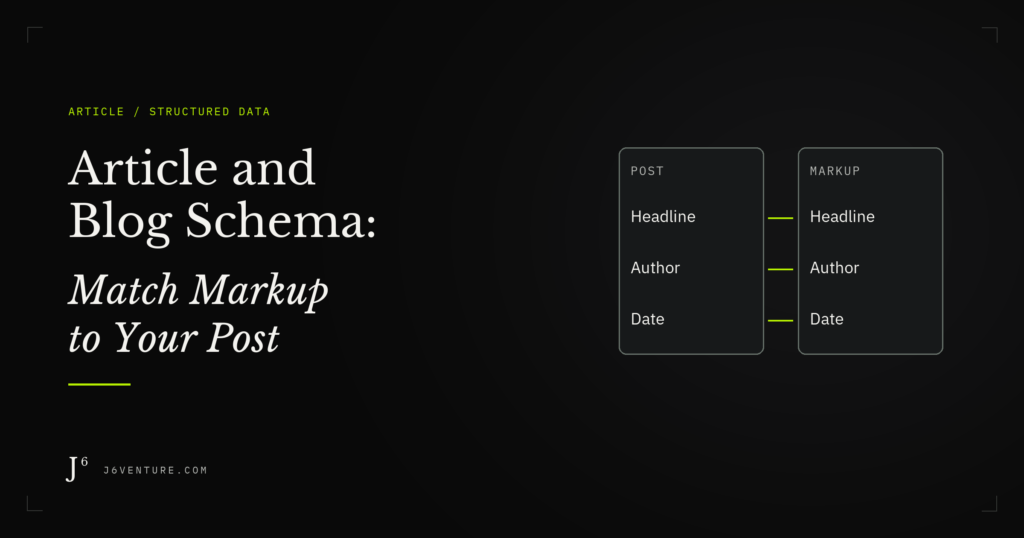
Use Article or an appropriate subtype to describe the post’s headline, author, dates, and images. Check what your site already publishes, match those fields to the article’s facts, and make any changes through the source that maintains them. Test the published output after editing.
A blog post can pass Google’s structured-data test while leaving an editorial question unresolved: does its author link identify the person who wrote it? Our public J6 example shows how to investigate that question while preserving the fields that already match the page.
What Is Article and Blog Schema?
Article and blog schema is structured data that describes an editorial work using Schema.org vocabulary. Article is the broad type; BlogPosting describes an individual blog post. JSON-LD is a format for publishing those descriptions in a webpage’s code, with labeled fields for facts such as its author and publication date.
Google uses article markup to help understand the page and may use it when presenting article details in search. Its Article documentation accepts Article, NewsArticle, and BlogPosting. A supported type does not guarantee a particular search appearance or ranking improvement.
For AI Overviews and AI Mode, Google’s AI features guidance says no special schema is required. Keep the implementation focused on describing your content accurately.
Choose Article, BlogPosting, NewsArticle, or Blog
Choose the type for the thing you are describing. A post, a news report, and the blog that contains many posts are different objects.
| Type | What It Describes | Useful Choice |
|---|---|---|
Article |
An editorial article | Use when the broader description fits the work. |
BlogPosting |
An individual blog post | A specific choice for a post on a company or personal blog. |
NewsArticle |
A news article | Use for an actual news report. A recent publication date alone does not make a guide news. |
Blog |
The blog as a publication | Describes the larger blog; its blogPost property can connect individual posts. |
Schema.org defines BlogPosting within the Article hierarchy and Blog separately. Word count does not determine this choice. A detailed company-blog guide can still be a BlogPosting; choosing the broader Article type is not a shortcut to stronger rankings.
Check What Your Post Already Publishes
Inspect one public post before installing another generator or pasting a script. Your CMS, theme, or SEO plugin may already publish an article object. Identify its type and values, then find which component controls them.
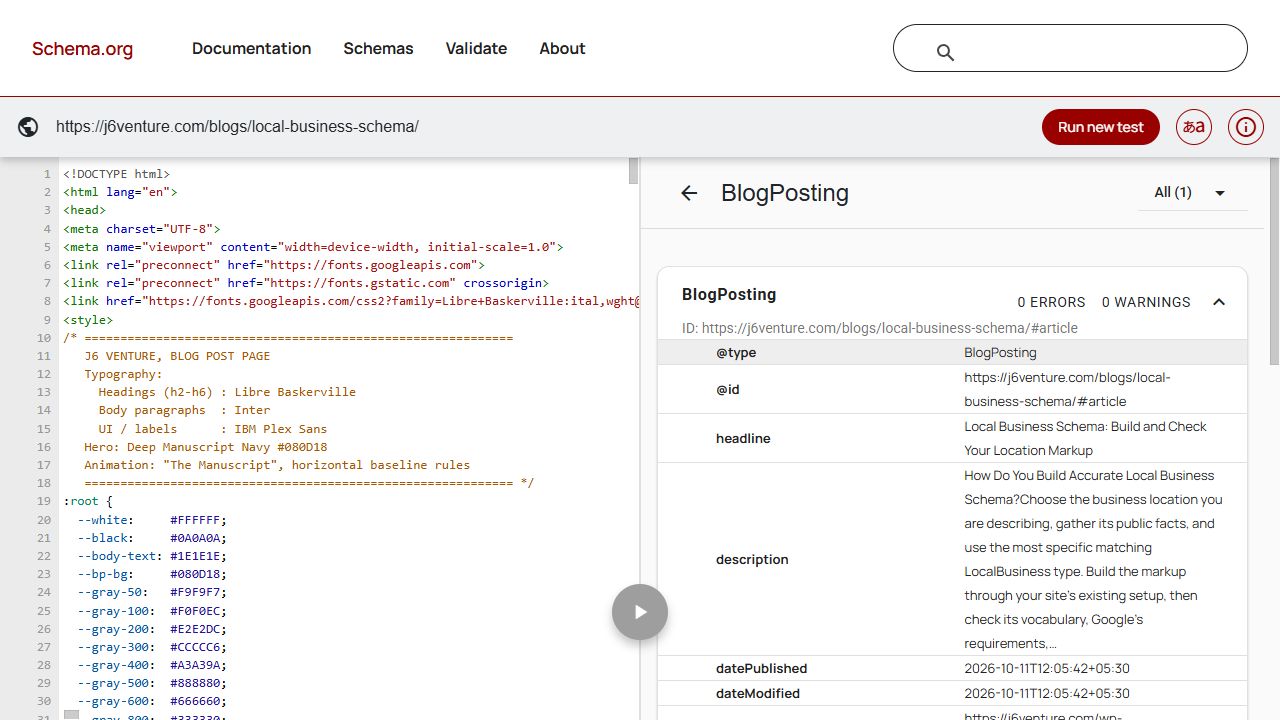
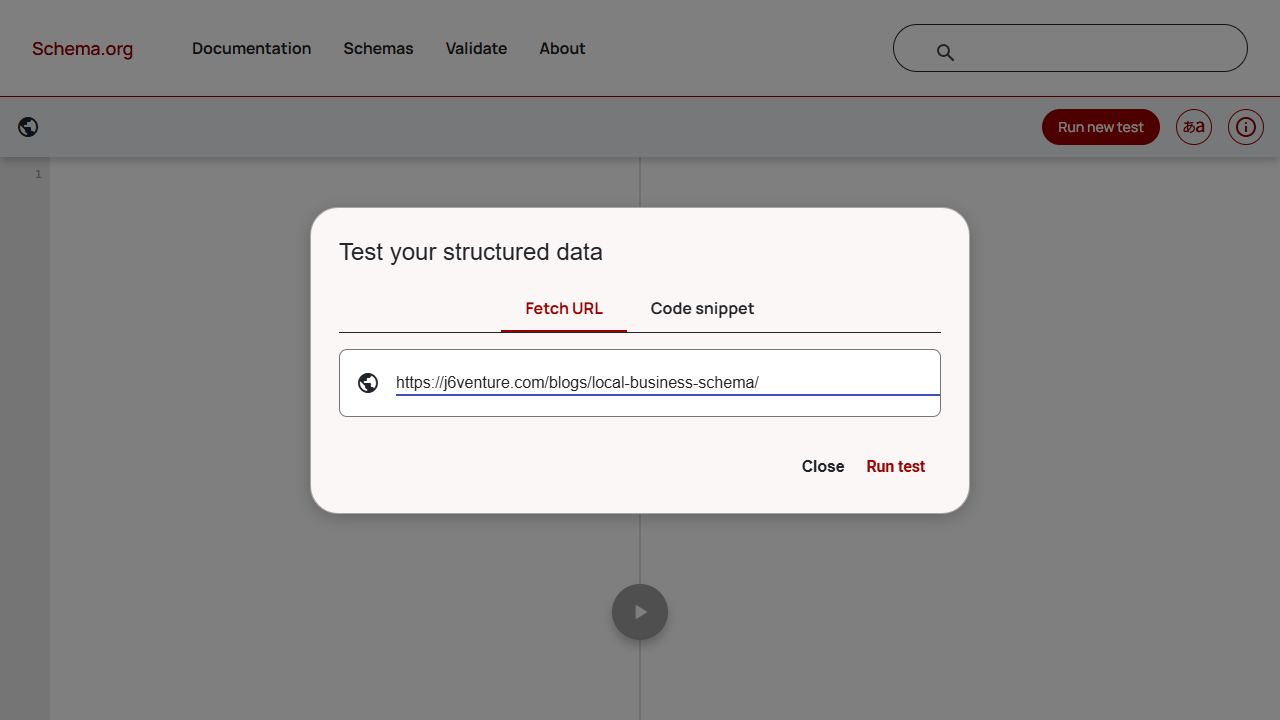
Open the Schema Markup Validator, enter the published post’s URL, and run the test. Look for an Article, BlogPosting, or NewsArticle item and open its properties. If you need help finding the output, ask your developer to examine the rendered page for application/ld+json scripts. Markup can also use HTML attributes, so an absent JSON-LD script alone does not establish that no structured data exists.
Record the article’s headline, author, dates, image, and page URL. Several connected objects can be appropriate: an Organization can publish a WebSite containing a BlogPosting. Investigate conflicting values about the same article instead of treating the number of objects as a defect. Our general schema-markup guide explains the broader inspection process.
For the worked example, we inspected J6’s Local Business Schema article on October 11, 2026. It already publishes a BlogPosting object. Its subject is local-business markup; the article itself remains a blog post. The bookstore discussed in its body is a separate subject.
Match the Article Fields to Their Sources
Give each field a factual source: the displayed heading, the credited writer, the publication record, or the representative image. A generator can format these values, but someone still needs to check that it has selected the right ones.
Headline and Author
Use the article’s title for headline. In the J6 example, the emitted value matches the visible H1: “Local Business Schema: Build and Check Your Location Markup.” Google recommends a concise title; its current Article guidance does not impose the old 110-character maximum found in some generators.
For authorship, check these details together:
- Identity: use
Personfor an individual writer andOrganizationwhen the credited author is an organization. - Name: put the author’s name in
author.name. Keep the publisher, job title, and “written by” wording out of that value. - Multiple writers: include each visible author as a separate object rather than combining their names in one string.
- Identity link: use a working
urlorsameAsthat identifies the author, such as a suitable bio or profile page.
An account that uploads the article is not necessarily its author. Compare the generated name with the public byline. A publisher belongs in the separate publisher property.
Publication and Update Dates
datePublished records the first publication; dateModified records the latest modification. Preserve the original publication date during a refresh. Google’s byline-date guidance recommends clearly labeled visible dates that agree with the corresponding structured values.
Use ISO 8601 values. When including a time, include the correct time-zone offset; 2026-10-11T12:05:42+05:30 is the value observed on our example. It describes that article’s publication time, even though J6 writes for a US audience. Audience location does not change the event’s timestamp.
A bulk template save should prompt a check of what dateModified represents. Do not present every saved post as editorially refreshed merely because a technical process touched its record. Distinguish an actual content change from an unrelated site update, and keep visible update labels accurate.
Representative Images
Choose an image that represents the article and has an accessible URL. Google asks for relevant, crawlable, indexable images in a supported format. A publisher logo should not replace the article’s representative image.
For best results, Google recommends high-resolution versions in 16:9, 4:3, and 1:1 ratios, each with at least 50,000 pixels when width and height are multiplied. These are recommendations in its Article guidance. They do not establish a universal requirement that every Article image be 1,200 pixels wide.
Check the actual file your markup references. A broken image URL, an unrelated default image, or an outdated cover needs attention even when the field contains valid JSON.
Why Google and Your Plugin Can Have Different Requirements
Google currently lists no required properties for Article structured data. It recommends applicable details, including authors, dates, headline, and image. Its content and technical policies still apply.
A plugin can impose a different contract for the data it generates. For example, Yoast’s Article specification lists fields it requires to construct its connected article object. That is a requirement of Yoast’s implementation. It does not turn those fields into Google’s universal Article requirements.
When a tool says “required,” identify who requires it and for what purpose. Include accurate details your setup needs; avoid inventing a value to fill a template. Properties such as articleBody, keywords, and publisher exist in the wider vocabulary without becoming mandatory fields in Google’s Article property table.
Worked Example: One J6 Post and Its Markup
On October 11, we compared the public J6 post with its rendered JSON-LD and ran Google’s Rich Results Test against the URL. The comparison identified fields to preserve and an author-link question to investigate. We made no changes to the example page during this inspection.
Read the Existing BlogPosting
This is a shortened, reformatted excerpt of observed output, with the top-level context retained for readability. We omitted other properties and the surrounding graph, including its publisher and website references. Do not paste it into another site as a complete replacement script.
{
  "@context": "https://schema.org",
  "@type": "BlogPosting",
  "headline": "Local Business Schema: Build and Check Your Location Markup",
  "datePublished": "2026-10-11T12:05:42+05:30",
  "dateModified": "2026-10-11T12:05:42+05:30",
  "author": {
    "@type": "Person",
    "name": "Vikas Jha",
    "url": "https://j6venture.com/"
  },
  "image": [
    "https://j6venture.com/wp-content/uploads/2026/10/cover-2.png"
  ]
}
Both fields contain the same timestamp in this publication-day snapshot.
The complete observed graph also connects the article to J6’s Organization and WebSite objects. Retain those relationships when adapting an existing implementation. Copying only this excerpt over a maintained graph would discard information we intentionally left out of the teaching sample.
Decide What to Keep and What to Investigate
Compare the fields with independent page evidence. The JSON-LD cannot corroborate its own facts merely by repeating them in several places.
| Observed Field | Evidence Checked | Decision |
|---|---|---|
BlogPosting |
The URL serves a standalone J6 blog article. | Keep the article type; its LocalBusiness topic does not change the document into a business. |
headline |
Exact match with the public H1. | Keep the value. Recheck if the article heading changes. |
| Author name: Vikas Jha | Public byline names Vikas Jha. | Keep the name and Person type. |
| Author URL: J6 homepage | The supplied URL represents the company website. | Investigate a maintained page or profile that more specifically identifies Vikas. Do not invent a replacement URL. |
| Publication date: October 11 | Public article header displays October 11, 2026. | The calendar date agrees. The header alone does not corroborate the timestamp’s seconds. |
| Image URL | The referenced file is the article’s cover. | Preserve the representative image; review available crops against Google’s recommendations. |
The author link is an identity-quality question. Google recommends a URL that uniquely identifies the author; a valid company-homepage URL is not automatically invalid markup. Before changing it, verify the intended person’s destination and find the source that generates the field.
Read the Actual Google Test Result
Google’s Rich Results Test reported one valid Articles item for this public URL. The result showed a successful crawl on October 11, 2026, with the smartphone option selected. Expanding the item exposed the BlogPosting fields discussed above.
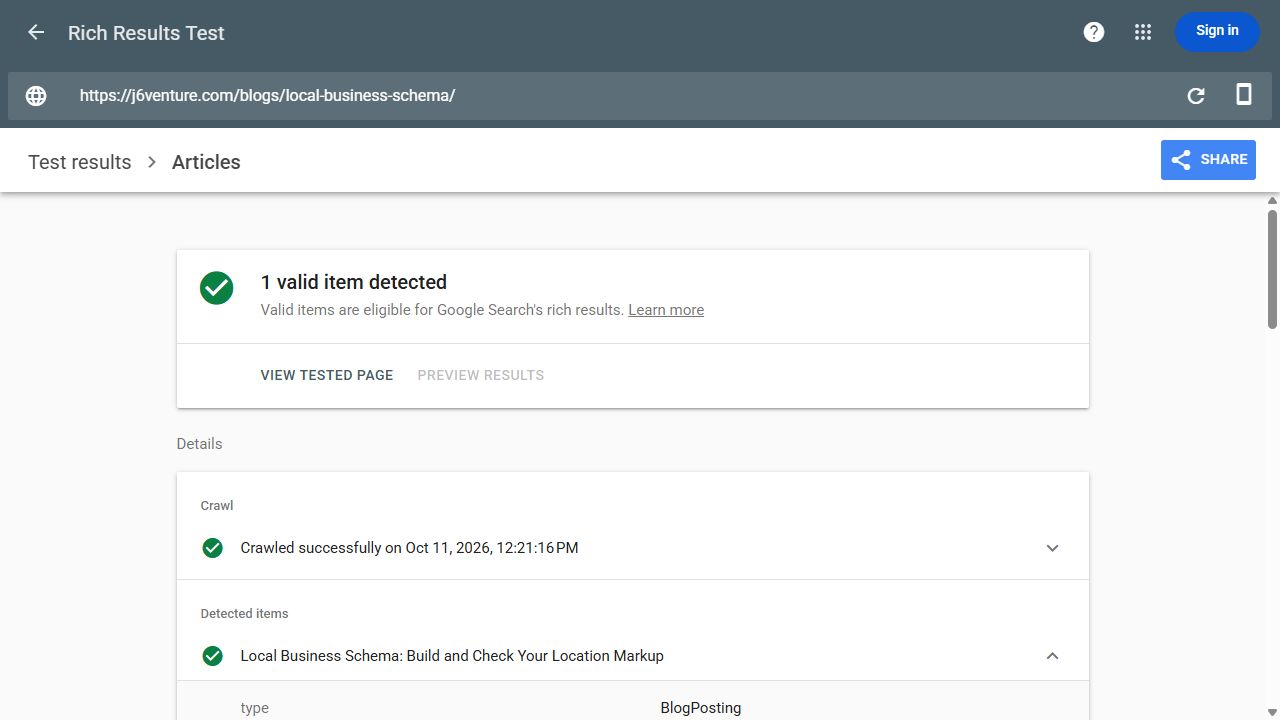
The field comparison supplies the separate evidence for the headline, byline, and publication day. It also reveals why the author identity link warrants investigation despite the passing result.
Missing dates illustrate another limit: Google’s Article documentation says the test does not warn when those recommended date fields are absent. A quiet report cannot replace your date check. Neither this test nor our inspection establishes indexing, a particular search appearance, or a traffic gain.

Make Changes Through the Existing Setup
Change the source that produces an inaccurate field. If your existing article object already describes the post correctly, preserve it. If an important applicable field is missing or conflicting, give the person maintaining the output the observed value, its supported replacement, and the page to verify.
Use the route that fits the site:
- 1Existing CMS or plugin output: correct the relevant title, author, date, or image mapping through its supported controls. Determine whether the setting affects one post or a shared template.
- 2Conflicting article objects: identify both producers and agree which maintains the article’s facts. Preserve legitimate organization, website, and breadcrumb objects. Yoast’s integration guidance illustrates how an existing graph can be extended instead of creating competing descriptions.
- 3No suitable article output: have the implementer add it through the CMS’s supported code or schema route, using values connected to the post’s maintained fields.
Google supports JSON-LD in a page’s head or body, as described in its structured-data introduction. A normal paragraph editor may strip or display script text, so confirm the insertion method with the implementation owner.
Back up the affected configuration, make the scoped change, and inspect the published URL. Clear affected caches if old values persist. Recheck the changed fields and ensure unrelated output remains intact; a saved setting alone does not show what readers or crawlers receive.
Use the Schema Markup Validator for vocabulary and syntax checks, then Google’s test for supported search-feature checks. With verified property access, Search Console URL Inspection adds information about access and indexing. An access problem belongs in an SEO audit, rather than repeated edits to an already correct author name.
For our example, the handoff is: “On the Local Business Schema post, author.name matches Vikas Jha’s byline, while author.url points to the J6 homepage. Please identify the CMS, theme, or plugin control that supplies that URL and verify a maintained page that identifies Vikas before proposing a replacement. Preserve the matching name, headline, dates, image, and graph relationships, then test the published output if a change is made.” The editing control and replacement destination remain unverified.
Keep the Markup Accurate When the Post Changes
Recheck article fields when their source facts change. Connect maintenance to your normal content optimization work, so an editorial revision updates the visible page and the generated description together.
| Change | Check After Saving |
|---|---|
| New headline | headline describes the current article title. |
| Corrected or additional author | Byline, Person/Organization type, name, and identity link agree; all credited writers are included. |
| Content revision | Original datePublished remains intact; the modification value and visible update label accurately represent the update. |
| New cover or image migration | image points to an accessible, representative file. |
| Plugin or template release | A representative published post still outputs the intended fields and relationships. |
Keep a short record with the page, field, factual source, editing control, responsible person, and last URL check. Leave an unresolved control or identity link explicitly open until it is verified.
Start with one published post and its byline. Compare the visible author with the emitted name and identity link. Preserve what matches, identify the exact question that remains, and give its owner a check they can complete. That produces a maintainable article record without adding code the page does not need.