Evaluate Semrush for filtering questions, Ahrefs for topic and page relationships, KWFinder for focused lookups, and SE Ranking when research connects with other SEO jobs. Choose a tier that can produce a supported page opportunity; use Keyword Planner for demand context and Search Console for your own site’s performance.
A keyword tool earns its place when it helps you make a better page decision. For SaaS, that decision connects a buyer’s problem to a product capability, a useful answer, and a next action.
Our comparison uses one illustrative buyer brief grounded in Calendly’s public product documentation. Vendor features and public plan information were checked on October 14, 2026. We have not run paid-account trials or measured which tool finds the most keywords. The worked opportunity below is illustrative; its missing evidence stays visible.
Which SaaS Keyword Research Tools Should You Shortlist?
Start with the research task you need help with. The four discovery tools below overlap in discovery and search-result analysis, but their features and plan limits change the work you can finish. Google’s tools answer additional questions about demand and your existing visibility.
| Tool | Reason to Shortlist It | What to Check Before Choosing |
|---|---|---|
| Semrush | Seed expansion, question filters, keyword groups, and competitor research | Whether the selected tier supports the export and domain-specific analysis you need |
| Ahrefs | Competitor discovery, Parent Topic, Traffic Potential, and search engine results page (SERP) comparison | Which tier includes clustering, intent analysis, and updated SERP data |
| SE Ranking | Keyword suggestions and current/historical SERPs within a broader SEO setup | Export limits, seats, and the history included in your plan |
| KWFinder | A focused keyword/domain lookup with search trends and SERP analysis | Daily lookups, suggestions per request, and bundle terms |
| Google Keyword Planner | Search-demand estimates with location and network controls | Account prerequisites and the meaning of advertiser competition |
| Google Search Console | Queries and pages already bringing your site impressions or clicks | Property access and the date, country, and page filters |
Choose a primary discovery tool from the first four when its documented functions fit your task. Add the relevant Google data as a separate evidence source. This shortlist is a task-based editorial recommendation, with no universal winner or performance ranking.
Define One Buyer Brief for the Comparison
Give every tool the same product, buyer, market, and research task. Otherwise, a broad competitor export can look more impressive than a narrow workflow search because it contains more rows. A common brief lets you compare the usefulness of the work each option supports.
The Product, Buyer, Market, and Research Task
Calendly’s public Salesforce integration page describes scheduling-related record creation and lead routing using Salesforce ownership. Those functions provide a concrete basis for the brief. They do not establish search demand or a customer’s results. Calendly’s Salesforce integration
Use these illustrative inputs:
- Product: Calendly, assessed for Salesforce-connected sales scheduling.
- Buyer: A US B2B sales-operations lead who wants inbound demo requests assigned to the appropriate sales owner.
- Market: United States, English. Select the equivalent location settings in each tool.
- Task: Find and evaluate one page opportunity that answers a scheduling or routing question this buyer could ask.
- Candidate families: “demo scheduling software,” “Salesforce lead routing scheduling,” and “Calendly alternatives.” These are research prompts, not observed searches or validated targets.
The Evidence a Useful Shortlist Should Contain
Accept a shortlisted opportunity only when you can explain the buyer’s job, the relevant product capability, the answer needed, and what remains uncertain. Attach the query source, market, retrieval date, and search-result observations. Identify an existing page that could serve the job before proposing another URL.
For example, a competitor keyword can suggest an opportunity. Its suitability still depends on whether your product can answer the same question credibly. A large export containing unrelated uses of “scheduling” would fail this brief even if its volume estimates looked attractive.
Compare Semrush, Ahrefs, SE Ranking, and KWFinder
Compare the tools by discovery, result inspection, organization, and handoff. All four provide ways to find and assess candidates. The useful distinction is where each documented feature helps with this buyer brief, and where a plan restriction or a judgment outside the tool could stop the work.
Semrush
Semrush’s Keyword Magic Tool expands a seed, groups related terms, filters questions, and shows search-result features. For the scheduling brief, these functions can help separate candidate families around demos, routing, and integrations before you inspect their results. Keyword Magic features and limits
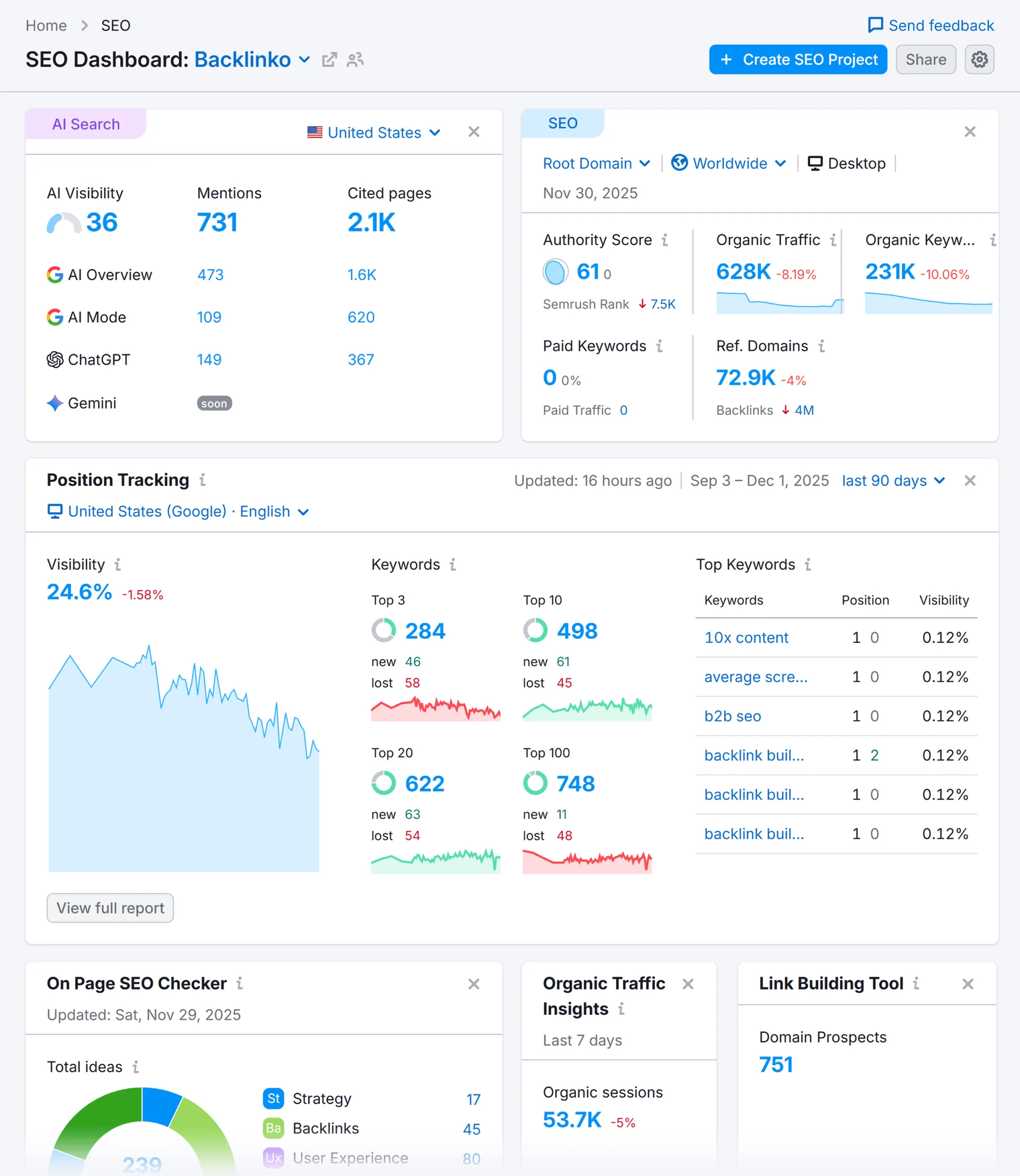
Its practical appeal is organization: a researcher can narrow a large suggestion set and prepare related queries for review. A group containing the same word is only a proposed grouping; check whether its searches need the same answer.
- Useful task: Expand a category seed, then filter for the workflow or question relevant to the buyer.
- Handoff constraint: Free access shows 10 results in the interface per report and permits zero export rows. It cannot meet a requirement for a downloadable Keyword Magic shortlist.
- Plan boundary: The manual says exports, metrics updates, Personal Keyword Difficulty, and Potential Traffic are unavailable on a free subscription.
Shortlist Semrush when filtering and organizing suggestions are important to your research. If a short manual record is sufficient, free access can support an initial exercise. Specify export and analysis requirements before paying for a particular tier.
Ahrefs
Ahrefs Keywords Explorer documents Parent Topic, Traffic Potential, keyword lists, and current and historical SERP analysis. Parent Topic helps investigate whether a candidate might be served within a broader page; SERP comparison helps examine that hypothesis. Traffic Potential estimates the traffic to the number-one ranking page for the keyword, providing another view to inspect alongside the individual query’s volume. Keywords Explorer
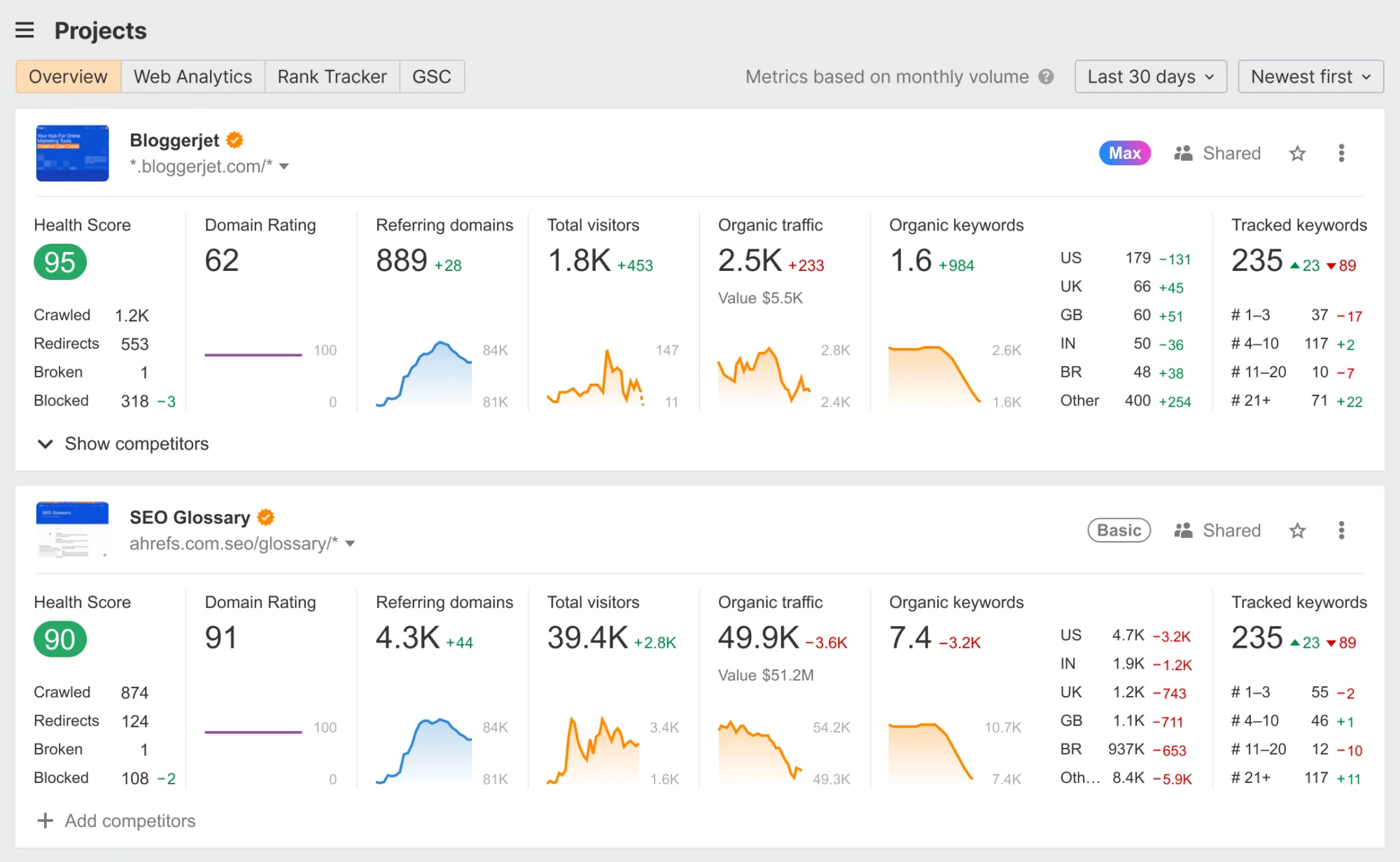
For this brief, those functions are useful when deciding whether a Salesforce-routing question belongs in an integration page or needs a distinct answer. A software-generated topic label does not settle page ownership.
- Useful task: Examine competing pages and related queries before splitting the topic into several planned URLs.
- Entry option: The $29/month Starter plan includes Keywords Explorer for limited use. Ahrefs Free excludes it.
- Plan boundary: Ahrefs’ current plan guide places keyword clustering, search intents, and SERP updates in Standard, listed at $249/month. Do not assume those functions are included in Starter or Lite. Ahrefs plan guide
Shortlist Ahrefs when topic relationships and competing pages are central to the decision. Check the required features against the exact tier, then test whether you can explain the proposed grouping yourself.
SE Ranking
SE Ranking documents keyword suggestions, intent labels, volume and difficulty estimates, SERP features, and current and historical organic results. Its SERP Overview can also lead into research on a competing domain’s keywords. These functions support movement from a scheduling candidate to the pages answering it. Keyword Research Tool
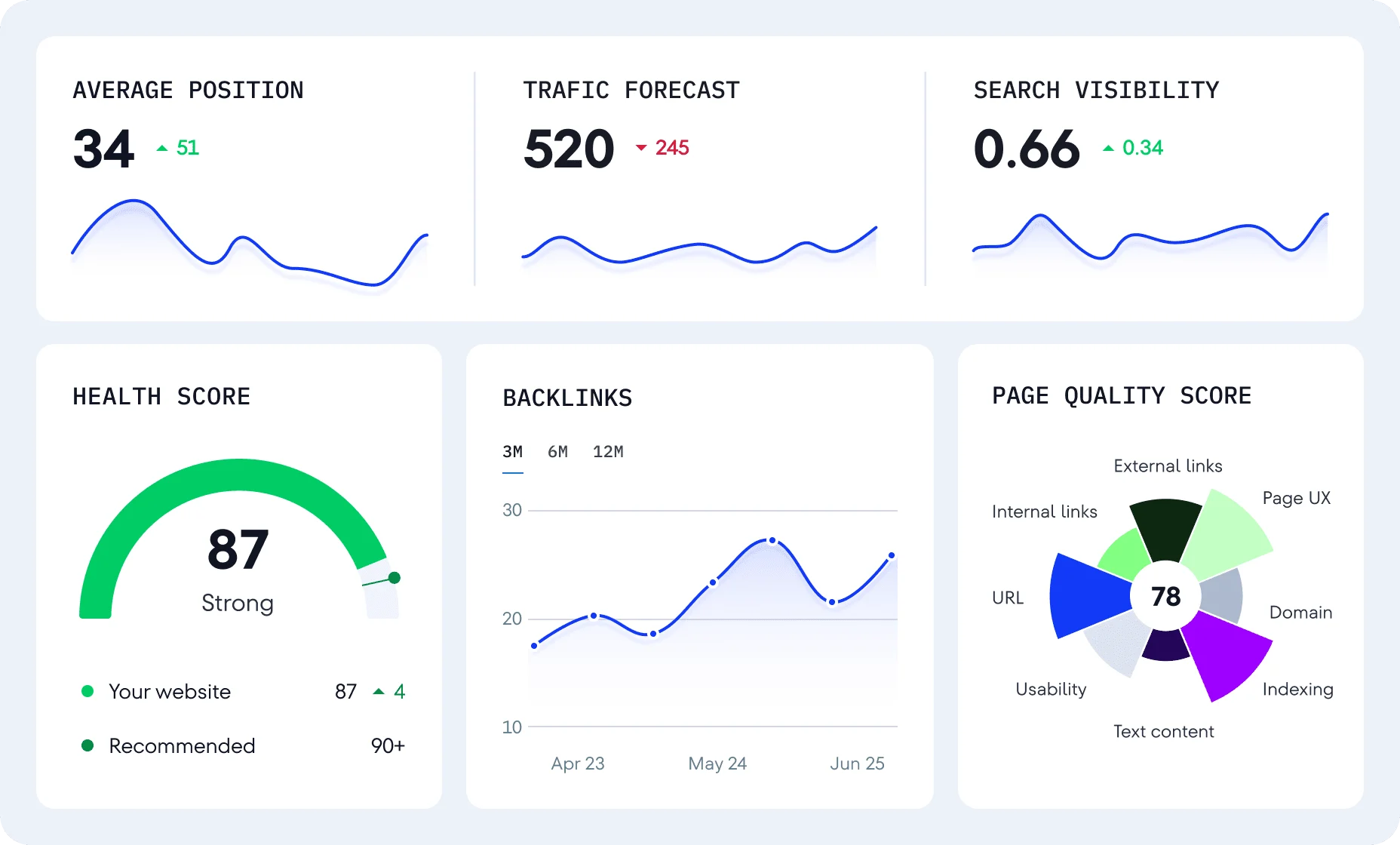
Its broader platform may suit a team that also needs ongoing tracking or other SEO work. Include those jobs in the purchase decision only when someone will use them.
- Useful task: Inspect a candidate’s results, investigate competitors, and organize subsequent research within the same platform.
- Entry option: The public free tool allows three reports a day with limited suggestions; a separate 14-day trial offers broader access.
- Plan boundary: Current pricing lists Core at $129/month, one manager seat, and a 50,000-row export limit. The displayed export figure does not specify its reset period, so establish that allowance before budgeting a recurring export workflow. SE Ranking pricing
Shortlist it when keyword research and your other recurring SEO jobs fit the same setup. Its “unlimited” research description should be read alongside export, history, and account limits.
KWFinder
KWFinder supports keyword-seed and domain/URL discovery, search trends, location choices, and SERP analysis. It supplies a focused route from a candidate such as “demo scheduling software” to suggestions and competing results. That makes it worth evaluating when a compact keyword-research task is the main requirement. KWFinder features and plans
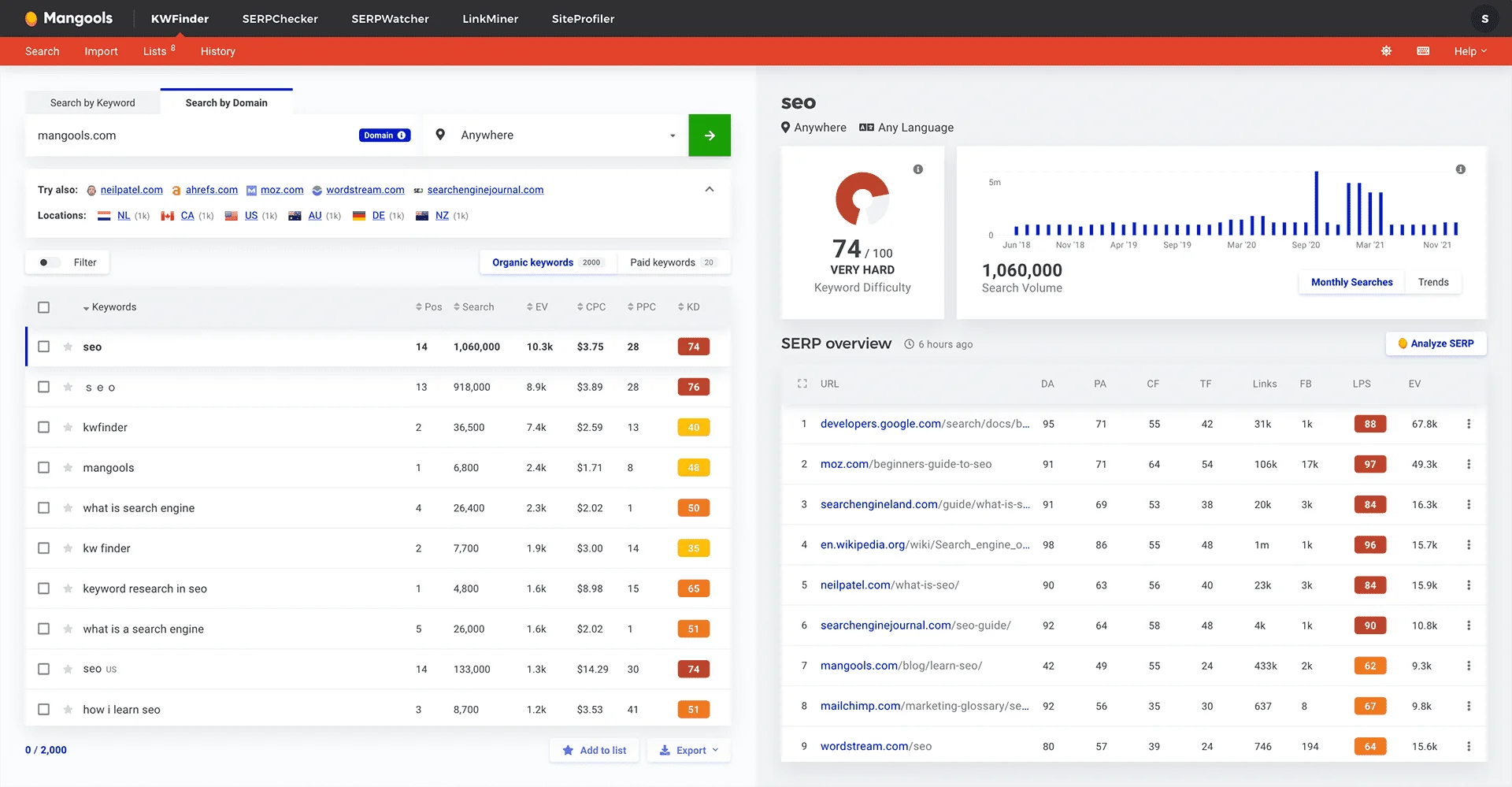
- Useful task: Research a small set of product or workflow terms and inspect the pages appearing for them.
- Free entry: KWFinder documents five lookups per 24 hours, with 15 related and five competitor keywords per lookup. This can support a small manual-record exercise.
- Workload constraint: The current Mangools Basic listing includes 100 keyword-research requests per 24 hours. Daily requests and suggestions per request are separate allowances.
- Purchase boundary: The captured offer is a Mangools Basic bundle including AI Search Watcher PRO. Its annual price is $452.40; assess the package you would buy, including any unused features.
A narrower research task can fit KWFinder without requiring a larger suite. Its low-difficulty suggestions still need product-fit and result-page checks. We have not independently verified vendor claims about superior accuracy or ease of use.
Where Google Keyword Planner and Search Console Fit
Keyword Planner and Search Console answer different parts of the brief. Planner provides demand-related estimates for selected settings. Search Console shows performance for a property you can access. Neither supplies the same view as a third-party competitor research tool, so keep each source’s meaning attached to its numbers.
Google Keyword Planner
Use Planner to explore candidates and assess demand context in the target location. Google’s average monthly searches include a keyword and close variants, depend on the selected month range, location, and Search Network, and are rounded. Record those settings before comparing estimates. Google’s metric definitions
Its “Competition” metric concerns advertisers. A low value does not establish an easy organic ranking opportunity. Google also says billing information is required to complete account setup for basic features such as generating new keyword ideas. Check that prerequisite before treating Planner as immediately available.
Google Search Console
With access to your own property, use the Performance report to inspect relevant queries and the pages receiving their impressions or clicks. Filter by country, page, and date so the evidence matches the research question. Search Console Performance report
For an existing scheduling page, this could reveal questions worth investigating or an existing URL to improve. We have no access to Calendly’s private property in this example. Search Console cannot supply a new site’s unobserved market demand or a competitor’s private performance record.
Work Through the Same Buyer Brief Across the Tools
Use the common brief to compare documented support for each task, then turn a candidate into one opportunity record. This is a proposed evaluation exercise, not a report of account results. The row should make a page decision inspectable even when search demand or result-page evidence is still missing.
Match Each Research Task to Documented Tool Support
Use the scheduling and Salesforce-routing families in every option. Inspect the following documented routes against the same opportunity record; these are expected work products to evaluate, not observed account outputs.
| Tool | Documented Route Through the Brief | Work Product to Inspect | Access Condition |
|---|---|---|---|
| Semrush | Expand the seed, filter questions, and review groups and result features | Filtered candidates and a proposed grouping; explain which searches need the same answer | Free access supports a small manual record; a Keyword Magic export requires paid access |
| Ahrefs | Research competitor terms through Site Explorer; examine Parent Topic and competing results in Keywords Explorer | A page-ownership hypothesis supported by related queries and result observations | Starter includes limited Keywords Explorer use; clustering, intents, and SERP updates require Standard under the cited guide |
| SE Ranking | Inspect suggestions and SERP Overview, then investigate a competing domain | Candidates plus current/historical result observations to support the page choice | Free checks are limited; verify the paid tier’s history and export allowances for the intended handoff |
| KWFinder | Search a seed or competing domain/URL; inspect trends and the SERP | A focused candidate set with relevance notes and a proposed page action | Five free lookups per 24 hours can support a small manual exercise; check paid requests and per-request limits for repeated work |
All four routes still require you to write the buyer-fit explanation and page recommendation. Start by comparing Semrush and Ahrefs if the unresolved job is filtering question families versus examining broader topic/page relationships. For focused keyword/domain lookups, evaluate KWFinder; include SE Ranking when its linked competitor/history research and other required SEO jobs fit the setup. If two routes remain plausible, run the same exercise and compare the handoff they let you complete.
The export requirement changes the shortlist immediately. If your team requires a downloadable Keyword Magic report, Semrush’s free access fails that condition. If you need only one manually documented opportunity, that export restriction alone does not justify a subscription.
Build One Usable Keyword Opportunity Row
Illustrative Opportunity for Review
| Field | Completed Example |
|---|---|
| Candidate | “Salesforce lead routing scheduling”; illustrative wording |
| Buyer Job | Route a requested sales demo to the appropriate Salesforce owner |
| Product Evidence | Calendly documents routing using Salesforce ownership; public integration page checked October 14, 2026 |
| Research Settings | Intended market: US/English; no tool run or volume observation recorded |
| Provisional Page | Assess whether the existing Salesforce integration page can answer the question clearly |
| Missing Evidence | Actual search language, current results, demand estimate, applicable product-plan requirements, and the existing page’s completeness |
| Next Action | Inspect candidate queries and competing answers; check eligibility and page coverage before recommending a section or new URL |
The initial decision is to investigate the integration page before commissioning another page. The sourced capability makes the idea relevant; it does not yet make the wording a validated target. “Calendly alternatives” would require a different comparison task, including evidence about competing products. Keep that candidate separate until its reader job is assessed.
For a full discovery-to-page process, use our SaaS keyword research guide.
Which Keyword Metrics Can You Compare?
Compare values only after checking their definitions, settings, and retrieval dates. A shared column name does not make two providers’ estimates equivalent. Use the numbers to investigate demand and competition while assessing the buyer, product, and proposed answer directly.
- Search volume: Keep country, date range, and source attached. Planner groups close variants and rounds estimates; its monthly-search count includes searches regardless of language. An English buyer brief does not make that count English-only. Google’s metric definitions
- Keyword difficulty: Compare candidates within the same methodology. Ahrefs says its KD uses backlinks to top-ranking pages. A score with the same number elsewhere may represent a different model. Ahrefs’ KD definition
- Traffic Potential: Ahrefs describes this as the estimated traffic to the number-one ranking page for your keyword. Read it alongside the individual query’s volume; it does not predict your site’s traffic or sales. Ahrefs Keywords Explorer
- CPC and advertiser competition: These concern paid advertising. They can suggest a question to investigate about commercial interest, but do not establish your conversion rate.
- Impressions and clicks: Search Console records your site’s performance within its reporting scope. Those observations are not total market demand.
Never average different tools’ KD scores into a supposedly stronger score. If volume is missing or reported as zero, follow the evidence checks in our zero-volume SaaS keyword guide.
Choose Tools for Your Current SEO Learning Stage
Choose according to the work you can perform and check today. Use these suggested milestones to assess readiness. Learning stage affects the guidance you need to interpret an output; workload affects the capacity you need to buy. An experienced researcher doing a small project may need less capacity than a beginner handling a large assigned list.
Learning the Basics
Your first milestone is explaining why one query belongs in the brief. Try KWFinder’s five free lookups per 24 hours for a small seed/domain exercise, or SE Ranking’s three free reports for limited suggestions and result inspection. Semrush free is another route when 10 visible results and a manual record suffice.
Choose an exercise these allowances can finish: inspect one candidate family, reject irrelevant ideas, and document one opportunity. If Keywords Explorer is the function you want to learn, Ahrefs Starter offers paid limited access at $29/month; establish its offered credit allowance first. For any route, use the checks below to assess the candidate’s buyer fit.
Practice these checks:
- Describe the reader’s job without repeating the keyword.
- Identify what the ranking pages help that reader do.
- Connect the question to a sourced product capability.
- Explain why the opportunity should be retained, investigated, or rejected.
A paid plan is reasonable if the exercise requires a feature free access lacks. Buying more suggestions will not complete these checks for you.
Researching Independently
You are ready to research independently when you can assess intent, reject irrelevant terms, and recommend a page with supporting evidence. Compare the time and constraints involved in turning a seed or competitor page into a shareable shortlist.
Narrow the choice by your current bottleneck:
- Too many mixed candidate questions: Evaluate Semrush’s groups and filters; verify paid access if the handoff requires a Keyword Magic export.
- Unclear topic or page boundaries: Evaluate Ahrefs’ Parent Topic and competing results. Standard is the tier to assess if clustering, intent analysis, or SERP updates are essential.
- Repeated focused lookups: Evaluate KWFinder against its daily and per-request limits.
- Research linked to other recurring SEO jobs: Evaluate SE Ranking, with the required history and export allowance recorded.
Resolve a tie by completing the same opportunity record in each candidate setup. Compare the usable observations and unfinished work, while keeping the buyer and market constant.
Handling Advanced Research and Larger Workloads
Separate analytical sophistication from volume. Advanced work might involve historical result comparison or challenging automated grouping. Larger workloads might require more export rows, requests, user seats, or API access.
Estimate the number of markets, candidate sets, users, and recurring exports before choosing a tier. Standard-level Ahrefs features may matter for clustering and intent analysis; SE Ranking’s export allowance or KWFinder’s daily requests may matter for capacity. Purchase each for the specific job it supports. A chatbot can propose candidate wording for the brief. Obtain search metrics and result observations from identified sources, then check product fit and page ownership yourself. For AI-assisted research, our AI SEO guide explains separate evidence and review considerations.
What Should You Pay for in a Keyword Research Tool?
Pay for a feature or allowance that removes a demonstrated obstacle to useful research. Compare the same billing period and the actual package: a monthly payment, an annual commitment expressed per month, and a bundle containing other tools are different purchase choices.
What Free Access Lets You Do
Free access can support a narrow practice task or an initial check. Semrush’s free Keyword Magic access is constrained to 10 visible results per report with no export. SE Ranking’s public checker permits three daily reports with limited suggestions. KWFinder provides five lookups per 24 hours with 15 related and five competitor keywords per lookup. Search Console requires access to the property; Keyword Planner has Google Ads setup prerequisites.
Do not treat a time-limited trial as permanent free access. Before beginning an evaluation, establish whether you can retain the useful output when the trial ends.
When a Paid Plan Fits the Work
These are selected public offers checked October 14, 2026, in USD. They are not a complete catalogue of the cheapest possible plans, and account, tax, and checkout terms need a final check.
| Selected Offer | Displayed Price and Billing Basis | Purchase-Relevant Condition |
|---|---|---|
| Semrush SEO | $139 monthly; $117.33/month displayed with annual billing | Current pricing page uses “SEO”; help documentation uses Pro/Guru/Business and quotes Pro at $139.95/month. Confirm the exact plan and entitlement at checkout. |
| Ahrefs Starter / Lite / Standard | $29 / $129 / $249 per month | Starter renews monthly; higher tiers have an annual option. Starter is credit-limited; Standard adds the research features described above. |
| SE Ranking Core | $129 monthly; $103.20/month with annual billing | Includes one manager seat; evaluate export and history allowances separately. |
| Mangools Basic bundle | $452.40 annually; equivalent to $37.70/month | Captured offer includes AI Search Watcher PRO. This annual equivalent is not a month-to-month payment. |
Sources: Semrush pricing, SEO Toolkit documentation, Ahrefs plans, SE Ranking plans, and Mangools offer.
Ahrefs’ official pages also disagree on the Starter credit allowance. Establish the allowance in the offered account before scheduling repeated research; do not build a workload budget around an unresolved figure. Starter terms
Compare total working cost: subscription, required seats or add-ons, and the time spent learning, cleaning, and checking the output. An annual discount is valuable only if continued use is justified.
When a Second Subscription Adds Value
Name the missing job before adding another paid tool. It might be a particular competitor view, historical analysis, or a required export that your current plan cannot supply. Test whether the extra source changes a page decision enough to justify its cost.
Search Console alongside a discovery tool supplies a distinct own-site evidence source. Two overlapping suggestion tools need a clearer case. A different volume estimate alone does not establish that either source is superior.
Evaluate the Tool Before You Commit
Set the required output and a stopping point before starting the same-brief exercise. Record whether the tested tier supports the task, whether you can interpret its results, and whether the handoff is usable. This separates a capacity restriction from a research skill or product-fit problem.

Run the Same Research Task
- 1Enter the same candidate families with matching market settings.
- 2Inspect suggestions and competing pages; retain relevant candidates with source and date.
- 3Complete one opportunity record, including product evidence and missing checks.
- 4Try the required handoff, whether an export or a manual record.
- 5Record the feature or limit that prevented completion, plus any judgment you still could not make.
If you cannot explain buyer fit, practice that assessment before purchasing greater capacity. If a required export is unavailable, evaluate a tier that explicitly includes it.
Decide Whether to Keep, Supplement, or Skip
- Keep: It supports the required tasks, a usable handoff, and the expected workload at an acceptable cost.
- Supplement: It completes the core work, but a named second source supplies a consequential missing view. Retain the supplement only if it improves the decision.
- Skip: The task, tier, output, or cost fails your requirements. Record why so the next evaluation does not repeat the same mismatch.
Assign a review date before the next renewal. Reduce or cancel the plan when the required job disappears, a lower tier covers the workload, or repeated use produces no defensible decisions.
Choose Your Tool and Record the Next Step
Choose the tool and tier that can complete your buyer brief, then record the opportunity, evidence, unresolved question, and next action. Reassess against that work at renewal. A smaller shortlist you can defend gives the team a clear next step; an unexplained export leaves the decision unfinished.