A report can flag something correctly and still leave its recommendation unexplained. A page marked “noindex,” for example, carries an instruction about appearing in search. Whether that instruction is a problem depends partly on what the page is supposed to do.
What Does an SEO Audit Report Show?
An SEO audit report records checks of a website’s search-related condition and, depending on the report, interprets those findings and recommends improvements. A tool-generated report might contain a score, issue categories, affected URLs, and suggested explanations. A consultant’s report can add page context, evidence from other sources, and a proposed response.
Those layers deserve separate reading. “The crawler found this instruction” describes an observation. “This instruction is accidental” adds a judgment about the page’s purpose. “This caused lost leads” adds a business claim. Each needs its own support.
The report’s format also affects what you can learn. A one-page checker describes the URL it examined. A site crawl follows or receives a collection of URLs. A report combining crawl data with Search Console or analytics contains several kinds of evidence, potentially covering different periods. The presence of a site-wide-looking dashboard does not establish that every page was checked.
Read the summary to understand the preparer’s main conclusions, then choose one finding to follow through the steps below. If the report has no written summary, start with its source and coverage. An automated export can still be useful; you may need the sender’s explanation to understand its recommendations.
Step 1: Establish What Was Checked
Find the tool or source, the date of the examination, and the part of the website included. A crawl is the tool’s attempt to fetch and examine pages. Its findings describe what it could observe under that run’s conditions.
For the report you have, establish:
- Coverage: the domain, subdomain, directory, or supplied URL list examined. A blog-only crawl cannot establish the condition of the product pages it omitted.
- Completion: the number of URLs examined and whether a limit, access problem, or exclusion left relevant pages unchecked.
- Settings that affect the finding: for example, whether the tool rendered JavaScript, which runs scripts that can change the page, or whether particular checks were excluded.
- Dates and sources: when the crawl ran and the periods covered by any search-performance or analytics figures added to it.
You may need to ask the sender for this information. These are interpretation questions, not fields that every tool labels identically.
The settings can change what appears in the report. Semrush’s scoring documentation explains that enabling JavaScript rendering can expose additional content and issues. It also says excluded checks are removed from future Site Health calculations. A change in the visible result therefore needs context before you attribute it to a website change.
If the scope is missing, keep the conclusion narrow: “These findings were reported for the examined URLs; coverage of the rest of the site is unknown.” Ask which URLs were included and what prevented a complete run, if a complete run was intended.
Step 2: Read Scores in the Tool’s Own Terms
A health score summarizes a tool’s checks according to its own rules. Find that definition before deciding what the number means. The same displayed percentage can represent different measurements in different products.
Two documented examples show why:
| Tool | What Its Documentation Says | What to Watch When Reading the Score |
|---|---|---|
| Ahrefs Site Audit | Health Score is the percentage of crawled internal URLs without error-level issues. Warnings and notices do not lower it. | A perfect score can coexist with warnings or notices. Use the crawled internal URLs as the basis of this calculation. |
| Semrush Site Audit | Site Health uses detected errors and warnings, with errors carrying more weight. Check types, their occurrence, exclusions, and rendering can affect the result. | Do not apply Ahrefs’ formula or infer the score from a simple total of flagged URLs. Establish whether the settings and checks changed between runs. |
These are the vendors’ published definitions, retrieved October 24, 2026, rather than results from an audit we ran. Ahrefs explains its calculation with ten crawled pages, two of which have errors: eight error-free pages divided by ten gives an 80% Health Score. That calculation does not give you a Semrush equivalent.
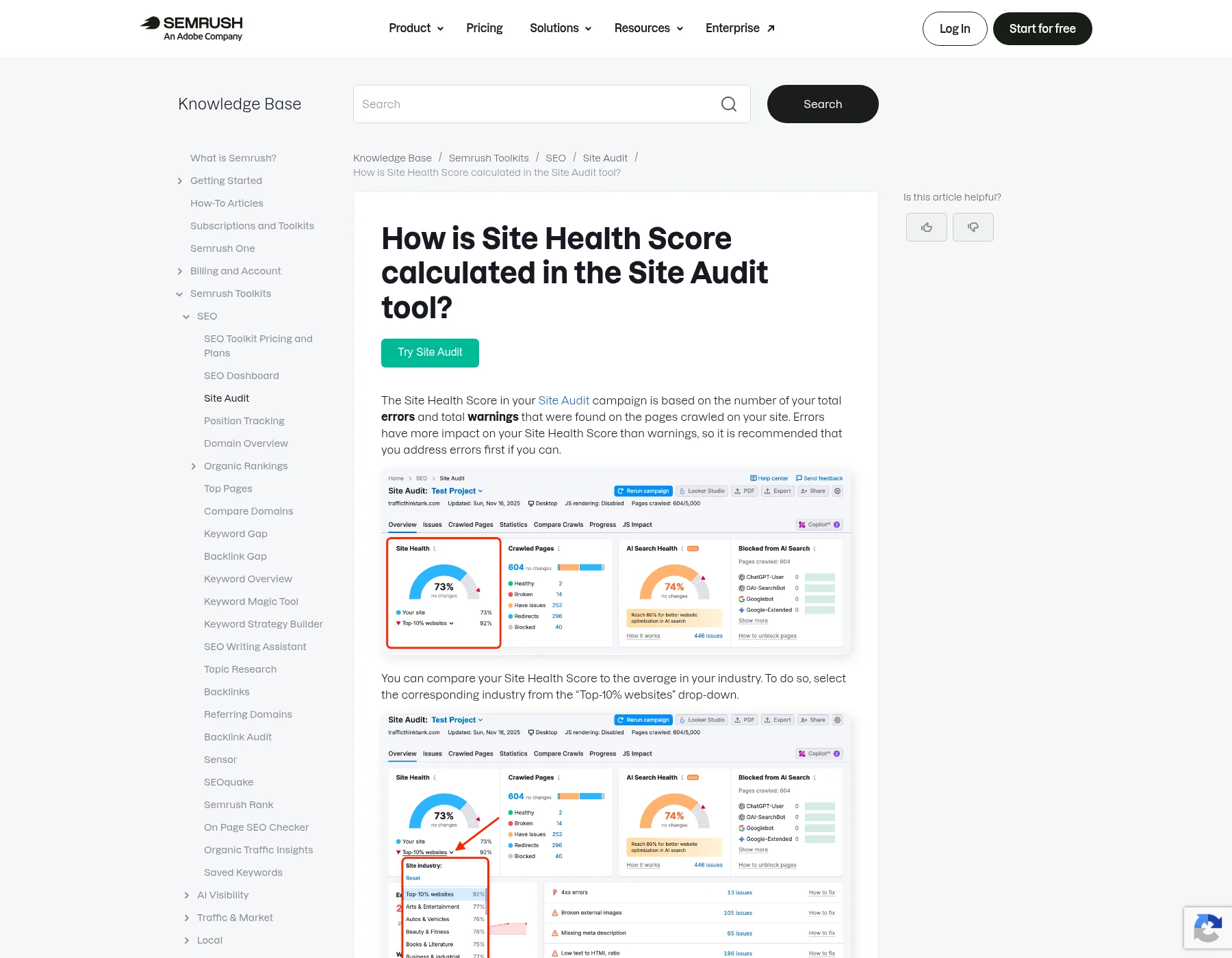
Read severity labels in the same way. “Error,” “warning,” and “notice” are the vendor’s classifications. Semrush describes three severity categories, while Ahrefs’ score specifically responds to errors. The label helps you find the tool’s explanation; it cannot supply the page’s business purpose or demonstrate lost traffic.
There is no useful universal pass mark to apply across these two definitions. For a comparison over time, ask whether the same tool, checks, coverage, and relevant settings were used. Even then, a better score establishes improvement under those checks. Rankings, visits, and qualified inquiries require their own evidence.
When the sender says “the website is now healthier,” ask which named findings changed. That answer is more informative than a score increase alone, especially if the report also changed its exclusions or the pages it examined.
Step 3: Understand What the Issue Counts Count
An issue type, an occurrence, and an affected page are different units. One page can have several issue types. A repeated link can also create several occurrences, depending on how the tool reports it. Check the column’s definition before interpreting the total.
Suppose an illustrative report says that one check affects 20 unique URLs out of 200 crawled URLs. The affected share is 20 ÷ 200 = 10% of that crawl. You cannot call it 10% of the whole website unless you have established that the crawl covered the whole website.
Now suppose another check affects 15 URLs. Adding 20 and 15 does not necessarily give 35 different pages: the two lists may overlap. Ask for the affected URL lists if a recommendation depends on the combined reach.
The same care applies to a large number in a summary. “500 issues” might describe 500 occurrences across a much smaller set of pages. It is insufficient information to conclude that 500 pages are broken, or that the report is padded. First establish the unit and examine representative entries.
A useful question is: “Does this number count unique URLs, individual occurrences, or different check types, and what is the relevant total?” Keep the tool’s wording in your note so a later handoff does not silently turn occurrences into pages.
Step 4: Read a Finding Against the Page’s Purpose
Open an affected entry and translate its label into ordinary language. Then establish what that page is meant to do. This connects a technical observation to a reason for caring about it, without assuming the recommendation is already justified.
The following entries illustrate the reading approach. They are representative labels, not a complete list of everything an audit may contain; the exact check and severity depend on the tool.
| Report Entry | Plain Meaning | Useful Context or Evidence Question |
|---|---|---|
| Noindex detected | The report says it found an instruction asking supporting search engines to exclude the page from their index, the collection of pages they store for search. | Is this page intended to appear in search, and where did the tool find the instruction? |
| Broken internal link | The report says a link between pages on this website points to a destination it could not retrieve as expected. | Which page contains the link, what destination did it request, and what response did it receive? |
| Missing meta description | The report says it did not find the page’s descriptive metadata used to summarize its content. | Which page is affected, and what does the preparer propose the description should communicate? |
| Low word count | The page fell below a threshold used by the check. | What reader question does this page fail to answer, and what evidence supports that assessment? |
For noindex, the page’s intended role matters. Google documents it as an indexing instruction implemented through a tag or response header. Google needs to crawl the page to see it; blocking crawling through robots.txt is a different mechanism. A finding about one should not be casually rewritten as a finding about the other.
For a broken internal link, preserve both the referring page and destination. The broken-link entry in Semrush’s issues documentation warns that restrictions affecting its crawler can make a working link appear broken to that tool. The sender should be able to explain the observed response before attributing it to a removed page.
The content-related entries also need interpretation. Google’s snippet guidance says search-result summaries are primarily drawn from page content and may use meta descriptions. A missing description does not establish that Google cannot show a summary. Separately, Google’s helpful-content guidance states that it has no preferred word count. Falling below a tool’s threshold does not by itself show that a page needs more words.
These qualifications do not dismiss the findings. They identify what the sender needs to explain: the page’s job, the observed condition, and why the proposed change would address a demonstrated need.
Step 5: Separate the Observation From the Explanation
Read the strongest conclusion attached to the finding. Does the evidence supplied establish it, or does it describe something that still needs investigating?
For example, “the audit found noindex on this URL” is different from “Google currently excludes the URL because of noindex.” The first concerns what the audit observed. The second adds a claim about Google’s state and reason. A crawl export alone does not supply Google’s current indexing record.
The sender might provide evidence from Google Search Console, Google’s tool for website owners to inspect search information, to support an indexing explanation. Google’s URL Inspection documentation distinguishes the indexed information from a live test. The initial information reflects Google’s recorded version of the page, which may predate a recent change. A live test examines the page at test time; it does not establish that Google has indexed that version or guarantee search appearance.
You do not need access to the website’s Search Console account to ask which evidence the report used. Request the date and type of the observation, and ask the sender to explain any difference. An older Google record and a newer crawler result can describe different versions of a page. Disagreement alone does not establish that either tool malfunctioned.
Business conclusions need another connection. If a report attributes a traffic decline or lost sales to the finding, ask what supports that relationship. A flagged condition and a decline occurring together do not establish that the condition caused the decline. The report may present a reasonable hypothesis; it should identify it as such and explain what would help assess it.
Missing supporting evidence leaves a conclusion unresolved. It does not prove the conclusion false. Record what is established and the question that remains, so the next person can investigate without inheriting an unsupported certainty.
A Worked Example of Reading a Noindex Finding
Consider this illustrative report entry. Every detail in this setup is assumed: a crawl dated October 20 examined 200 URLs and reported noindex on one invented path, /demo-confirmation/. The entry names that URL and instruction but supplies no tag or header extract and no Search Console evidence. The sender recommends removing noindex so this page can appear in search.
In this assumed setup, the page owner says this confirmation page is intentionally excluded from search because visitors should reach it after requesting a demonstration. No real website, customer audit, or Google result was examined for this example.
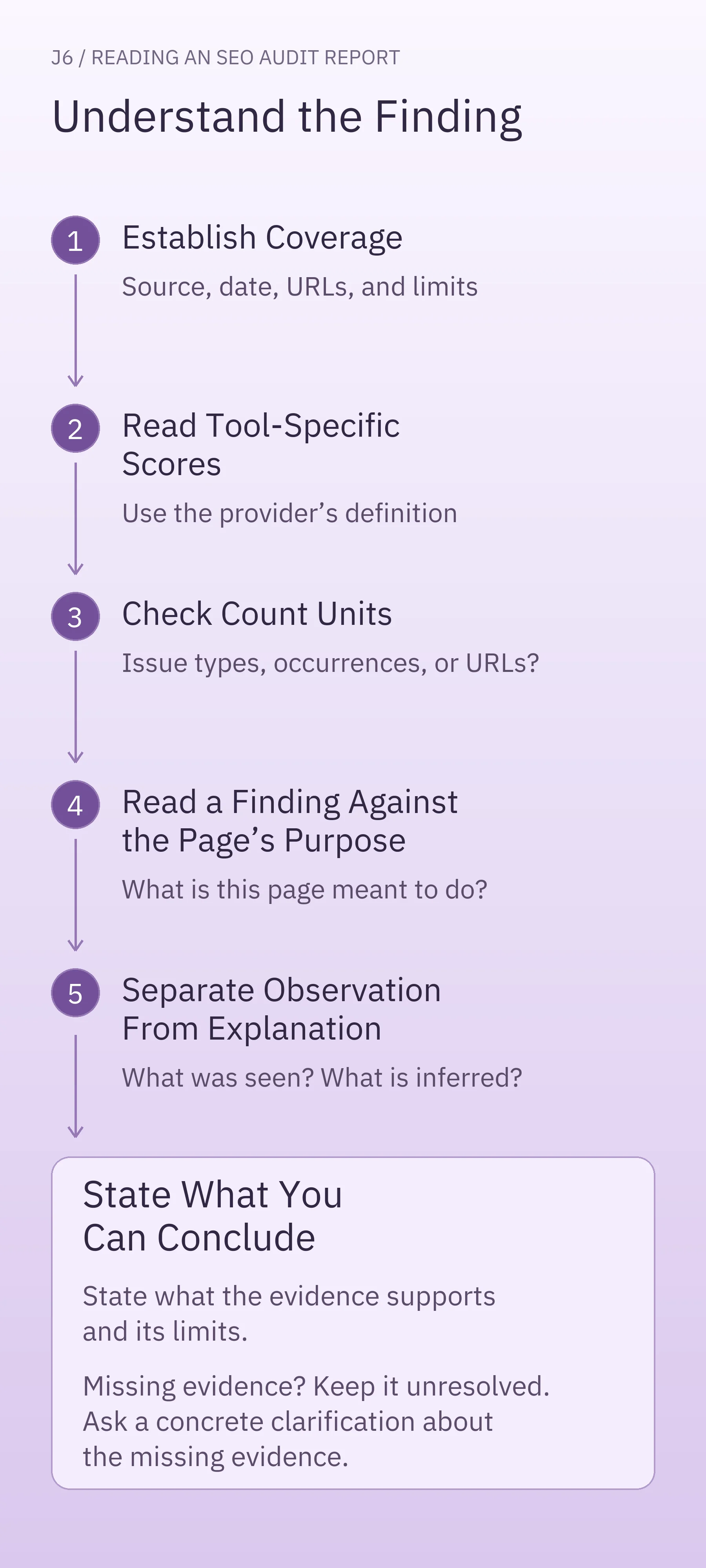
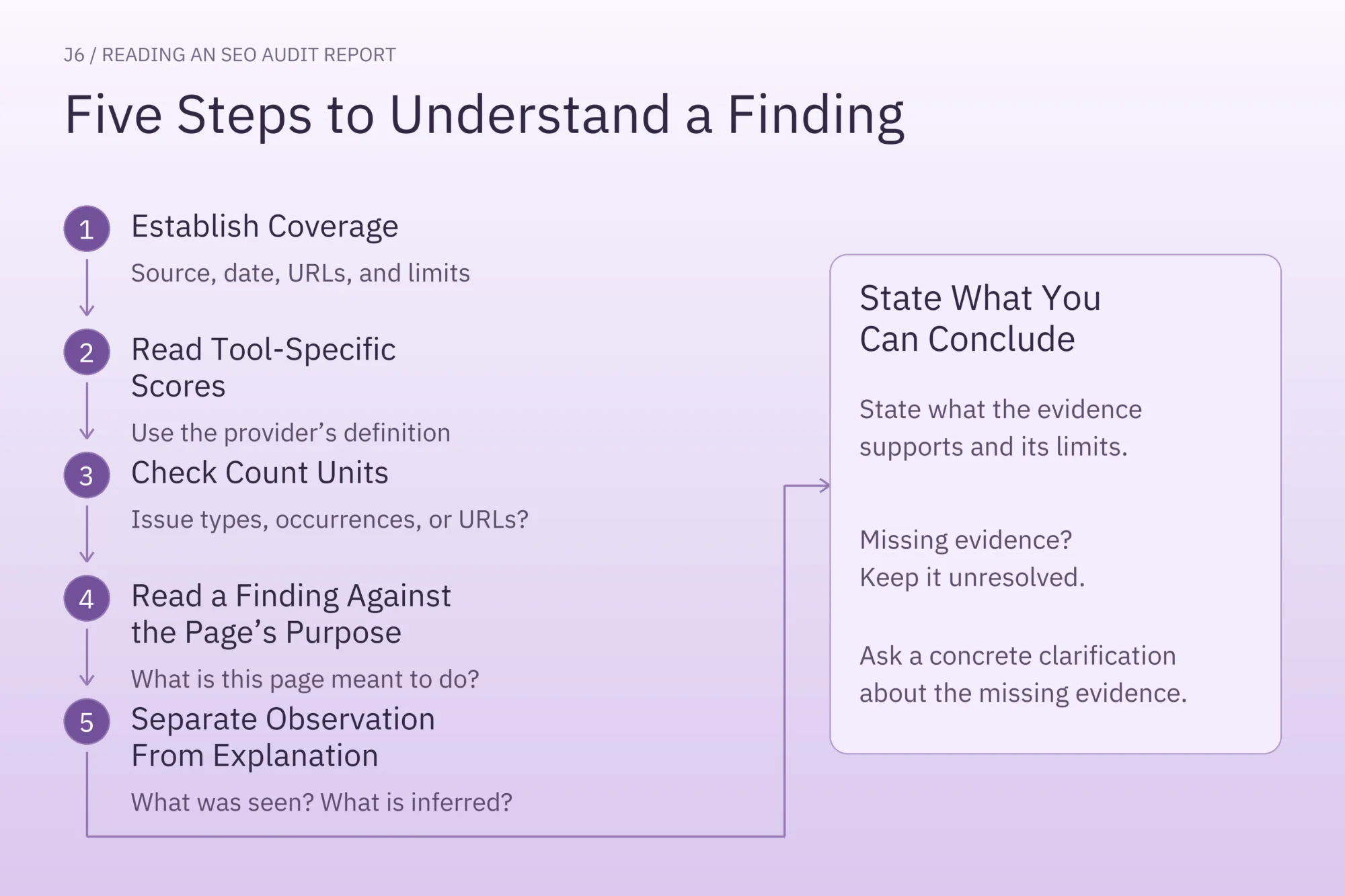
Apply the same five steps:
- Establish coverage. The entry belongs to a 200-URL crawl on the assumed date. Its coverage of the whole website is unspecified. Keep that limitation with the finding.
- Read the score in context. The setup gives no tool or scoring definition. You cannot calculate a score effect or assume the label has a particular severity. Ask which check produced it if that matters to the sender’s recommendation.
- Read the count. This entry concerns one reported URL. It is not evidence that the website as a whole is excluded from search.
- Compare with purpose. The reported instruction is consistent with the owner’s stated intention for this confirmation page. The flag alone therefore does not demonstrate an accidental exclusion.
- Bound the conclusion. You understand why the instruction could be deliberate. The setup still does not establish the current directive, Google’s indexed state, or whether the page otherwise works correctly. Ask for the evidence relevant to any stronger claim or proposed change.
A completed reading note could look like this:
- Finding and scope: noindex reported for
/demo-confirmation/; one entry in the assumed October 20, 200-URL crawl; whole-site coverage unknown. - Page purpose: the owner intends this post-request confirmation page to stay out of search.
- Supported interpretation: the reported instruction fits that stated purpose; this entry alone does not establish a mistake.
- Unknowns: the report provides no directive extract or Google evidence, and no basis for calculating a score effect.
- Question for the sender: “What problem is the proposed change meant to solve, given this page’s intended exclusion? Please include the evidence supporting that recommendation.”
Change the page purpose and the interpretation changes. If the invented URL were instead /request-a-demo/, and the owner intended that page to be discoverable through search, the reported noindex would conflict with the stated intention. You would ask the sender to substantiate the instruction and explain the relevant Google evidence before accepting a claim about its indexing status or impact.
The comparison shows how the same reported condition can require a different explanation when the intended page role changes.
What Should You Ask the Report Sender?
Choose one finding you need to understand and keep a short note with the same five fields:
- Finding and scope: the quoted label, affected entry, counted unit, source, and date.
- Page purpose: what the page is meant to do, confirmed with its owner when necessary.
- Supported interpretation: what the supplied evidence establishes.
- Unknowns: the missing information that limits the conclusion.
- Question for the sender: the evidence or explanation needed to understand the recommendation.
For a less clearly explained link entry, a request could be: “Please identify the page containing this link, its destination, and the response the audit received. Explain why you recommend changing it and whether that recommendation accounts for the destination’s intended behavior.” That gives the sender something concrete to answer, without requiring you to conduct another crawl first.
You can then discuss work from a shared understanding of the finding. Choosing which SEO issues need action is the next decision; conducting a full SEO audit is a larger investigation.
Finish your first reading with one understood finding and a specific question wherever evidence is missing. You will have a clearer basis for the next conversation: what was examined, what was observed, and what still needs explaining.