You can spend an afternoon improving a page’s title and images while a site setting still prevents Google from indexing it. You can also spend that afternoon changing settings your website already handles correctly.
Start with the work that applies to your site. The checklist below gives you a specific observation to keep for each task, so another person can understand what you checked and what remains unfinished.
For your first pass, name your website and one public page that matters to the business: a service page, product page, or useful guide. If the site uses materially different templates, add an example of each relevant type. A template is a shared page layout and configuration, such as a product template versus an article template.
Write down which examples you selected. Checking one product page cannot establish that every product URL works correctly.
Use the site setup list when launching or confirming an unfamiliar setup. Use the page list for each new or substantially changed page. Return to the ongoing list after relevant changes and at a review interval your team can maintain.
Copy the task record into your notes as you work. Keep the date separate from the result, using these labels:
- Meets this check: the narrow condition you inspected is supported by the observation.
- Needs action: a known correction remains, with a person responsible for it.
- Unverified: the observation lacks evidence or a completed inspection. Say exactly what is missing. If a known missing prerequisite needs fixing, record that remedy separately as Needs action.
- Not applicable: the task does not apply to this page or situation. Record why.
These are practical record labels, not Google’s scoring system. An acceptable existing URL can meet its check without being changed. A checked box should never stand for an uninspected page or a promised traffic gain.
Site Setup Checklist
Your CMS is the system used to edit and publish your website. Google Search Console is Google’s tool for inspecting the site’s search and indexing information. Indexing means inclusion in Google’s searchable index.
Work through these foundations before interpreting results. Your CMS may already provide some of the setup; check the site before adding another plugin or changing shared settings.
Scroll sideways if any columns are off-screen.
| Task | What to Check | Keep This Result |
|---|---|---|
| Confirm search-data access | Can the responsible person open the correct website property in Google Search Console? A property is the site or URL scope whose data the account can access. | The property, the person who confirmed access, and the check date. If the editor lacks access, record Needs action and name the person who can grant it. The uninspected Google observations remain Unverified. |
| Choose a useful business outcome | Decide what a relevant visitor should be able to do, such as send a genuine inquiry, start a trial, or buy. Identify where that action is recorded. | The action and its recording system. If measurement is not configured, assign that work; do not report a missing record as zero demand. |
| Check intended public pages in Google’s tools | For the named sample, follow Google’s URL Inspection instructions to record live access/indexing eligibility and, separately, the stored indexing report. | The exact URL, test/report type, date, and observation. An observation blocked by missing access stays Unverified; granting access is a separate action. Unexpected or conflicting findings need investigation. |
| Check public availability and HTTPS | Open the intended public page at its HTTPS address and confirm the expected content appears. Use URL Inspection to obtain the HTTP response status, or ask the site’s technical owner to supply it. If that part has not been checked, record it as Unverified. | The tested URL and any loading, certificate, or response problem. A successful HTTP 200 response means the server returned a successful response, not that SEO has passed. |
| Check discovery routes | Can a visitor reach the important page through relevant site links? If your CMS supplies a sitemap, inspect whether it includes the intended public URLs. | The linking page and sitemap location, where applicable. Record a missing route or inconsistent URL for its owner. |
Google’s technical requirements distinguish access, a successful response, and indexable content. Meeting those requirements makes a page eligible; indexing is not guaranteed. Intentionally private pages have a different purpose and should not be opened to search engines just to satisfy this list.
For the sampled page, follow Google’s URL Inspection guidance:
- Open the correct property and enter the complete page URL in the inspection bar.
- Record the stored report’s status and crawl date. Expand Page indexing and retain the Crawl allowed?, Page fetch, and Indexing allowed? observations where available.
- Choose Test live URL. Record that result separately, with the test date.
- Keep missing observations Unverified. A successful live test does not establish that Google indexed the current version.
These interface labels were checked against Google’s instructions on October 26, 2026.
A sitemap helps Google discover URLs, but it does not guarantee crawling or indexing. You may already have one. Avoid creating a second process before checking what your CMS supplies.
If a finding requires you to work out why Google excluded a page or which technical change is safe, take that recorded finding into a fuller SEO audit. This checklist supplies the starting observation; the cause may still be unknown.
Checklist for Each New or Updated Page
Use this list on a draft where possible, then check the published page. Preview settings and published output can differ.
The page title is the HTML title, commonly shown in the browser tab and edited through your site’s title or SEO field. The main heading is the prominent heading inside the page. The meta description is a short description supplied for search engines; it is separate from the visible article introduction.
Scroll sideways if any columns are off-screen.
| Task | What to Check | Keep This Result |
|---|---|---|
| Match a real search need | Name the question, decision, or task the page serves. Inspect relevant search results and check whether an existing page on your site already serves the same job. | A short reader task, relevant query wording, and the intended destination page. An unresolved overlap needs an editorial decision before another similar page is commissioned. |
| Check the substance and evidence | Can the intended reader complete that task? Verify important facts, offer details, examples, and qualifications. Make responsibility for the information clear. | The reviewed version, supporting records, and any missing answer or unsupported claim. |
| Check the title and main heading | Read them against the actual page. Do they accurately describe its subject or offer, and is the main heading visually clear? | The published title and heading, including any misleading or obsolete wording requiring correction. |
| Write a useful meta description | Summarize what this specific page offers in natural language. Check what the CMS saved. | A page-specific description. Do not count a saved description as proof that Google will display it verbatim. |
| Check the URL you intend to use | For a new page, choose an understandable address. For an existing page, establish whether there is a real reason to change its address. | The chosen URL and any authorized change plan. A readable, established URL can meet this check unchanged. |
| Follow the links | Test relevant links into and out of the page. Does the destination work and match what its link text leads readers to expect? | The source page, destination, and any broken or misleading link that needs correction. |
| Check meaningful media | Does each image or diagram help explain the page? Check loading, legibility, and an appropriate text alternative for meaningful images. | Any missing image, unreadable label, or inadequate alternative description, with the responsible editor. |
| Complete the visitor’s task on mobile | Read the page and try its relevant action on a phone-sized screen. Check obstructed text, difficult controls, sideways overflow, and the actual form or purchase path where applicable. | Device or viewport, tested action, and the specific obstruction. A completed test submission must be recognizable as a test. |
| Make a basic performance observation | Note loading or interaction problems on the sample. If using PageSpeed Insights, distinguish the diagnostic lab run from available real-user data. | Field data describes observed real-user experience. Record the URL, date, result type, and whether it covers this page or the wider origin, such as https://example.com. Missing field data is not evidence that speed is good or bad. |
| Recheck the published version | Confirm the intended text, settings, links, and assets appear after saving. Recheck the relevant access task when publication or settings could affect it. | Published URL, inspected version/date, and any difference requiring correction. Later search results remain a separate observation. |
Use the search language your readers recognize and make the explanation understandable. Google’s SEO Starter Guide does not prescribe a preferred word count and warns against keyword stuffing. Use the words the explanation needs; do not add repetitions to satisfy a density quota.
For titles, Google recommends descriptive, concise wording. Its search title can be generated from several page signals. A title that is saved correctly and an identical title displayed in Google are different observations.
Similarly, a search snippet can come from page content or the meta description. Character counts can help an editor work within a space, but they do not certify that a description answers the reader’s question or will be shown unchanged.
For links, check both usefulness and implementation. Google’s link guidance explains crawlable links using an anchor element with an href destination. If a visible button behaves unexpectedly, give the developer its URL and the observed problem; do not assume every clickable interface element supplies a crawlable link.
Keep performance conclusions proportionate. PageSpeed Insights combines a controlled lab test with available real-user data collected over a trailing 28-day period.
A good lab run does not prove that all visitors have a good experience, and same-day field data cannot isolate the effect of a change you made today. Google also cautions that chasing perfect experience scores for SEO alone may be a poor use of time.
When the content itself needs substantial work, use a fuller SEO content creation process. The checklist helps you identify and assign that work; it does not replace research, writing, or editing.
Ongoing SEO Checklist
A published page can become inaccurate or difficult to use when the offer, template, navigation, or surrounding site changes. Give ongoing tasks a repeatable trigger and an owner.
Scroll sideways if any columns are off-screen.
| Task | What to Check | Keep This Result |
|---|---|---|
| Review search observations | In Search Console, record the relevant page/query scope, filters, and comparison periods before comparing clicks, impressions, or position. | A dated observation and the question it raises. A change alone does not identify its cause. |
| Review useful visitor actions | Check whether the chosen business outcome is still recorded correctly, then review the available results. | The recording method, period, and any known measurement gap. Distinguish a test action from a genuine customer action. |
| Revisit changed or aging information | Review pages when prices, availability, product behavior, people responsible, or important source facts change. | What needs updating, the responsible person, and a new published-version check after the edit. |
| Recheck shared-site changes | After relevant template, CMS, navigation, migration, or tracking changes, repeat affected tasks on named examples. | The change, pages sampled, and affected checks. Expand the inspection if you find a problem; do not assume a sample certifies every URL. |
| Review discovery and useful promotion | Check relevant incoming links, referral opportunities, and relationships that help the intended audience find useful work. | A specific outreach or maintenance action, its owner, and any delivered link to inspect. No routine purchased-link quota. |
The Search Console performance report provides search observations. Impressions count appearances in results; clicks count clicks through to your site from those results.
For example, in your Search Console performance report, select the page you are reviewing and set the two date ranges before comparing its clicks. Keep other filters consistent and record any limit to the comparison.
Neither metric tells you by itself whether an inquiry became a customer. Keep the business outcome beside the search observation without assuming one caused the other.
For promotion, relevance to a real audience matters. Google’s spam policies cover links created primarily to manipulate rankings; paid advertising and sponsorship links need appropriate qualification. A checklist entry should not turn into an obligation to buy ranking links.
Choose a review interval you can sustain and add event-driven checks when something relevant changes. A weekly or monthly slot can be your operating choice, not a claim that every task is due on that schedule. Larger publishing or resourcing decisions belong in your SEO content strategy.
Checks That Depend on Your Site
Some tasks belong only where the feature, audience, or site structure makes them relevant.
- Structured data: if the page fits a supported search feature, check the relevant requirements and whether the markup describes visible content. Google’s structured data introduction links to the Rich Results Test. Adding markup is not a universal requirement to publish every page.
- Duplicate or very similar URLs: record the intended representative page and ask the responsible specialist about conflicting signals. Google’s canonical guidance describes ways to express a preference; a canonical declaration is not mandatory on every page or proof of Google’s eventual choice.
- Local, store, or multilingual features: assign the appropriate specialist checks for eligible business profiles, product availability, or language/market versions. Establish which situation applies before creating profiles, changing product URLs, or adding language markup.
- Public content alongside a software application: protect the distinction between pages intended for discovery and private customer areas. Use the dedicated technical SEO for SaaS guide when that boundary, rendering, or app routing needs deeper work.
- Google AI features: Google’s AI-feature guidance says a supporting page must be indexed and eligible to appear with a snippet. It does not require special AI text files or special schema. These conditions do not guarantee inclusion, and they are guidance for Google’s features, not every AI platform.
Mark a task Not applicable only when you can explain why it does not apply. “We have not checked it” belongs under Unverified.
A Worked Example for One Service Page
The following business and observations are fictional. They illustrate how to fill the record; they are not J6 campaign results or a claim that anyone tested this website.
Assume a US bookkeeping firm is reviewing /services/bookkeeping/. The owner confirms that the firm offers bookkeeping and no longer offers payroll. The editor has checked that the existing address accurately describes the page and that the page itself describes the current bookkeeping offer.
Its HTML title, shown in the browser tab, still says “Payroll Services.” The editor cannot access the firm’s Search Console property.
They record separate tasks, using “Example Day 1” as the illustrative inspection date:
Scroll sideways if any columns are off-screen.
| Task and Object | Result and Evidence | Next Action, Owner, and Completion |
|---|---|---|
| Search Console access for the editor | Needs action. On Example Day 1, the editor cannot access the property. The separate Google indexing observation remains Unverified because no report has been inspected. | The business owner arranges the correct access. The editor closes this access task after opening the intended property; the page’s indexing observation is a separate check. |
Existing address /services/bookkeeping/ |
Meets this check. The address describes the current page; no URL change is proposed. This is an address decision, not a finding about rankings or every technical signal. | Keep the URL. The editor reopens this task if the page’s purpose or an authorized migration changes. |
| Published page title | Needs action, then Meets this check after the assumed correction. The owner confirms the obsolete payroll wording; the editor changes it to “Small-Business Bookkeeping Services” and checks that exact HTML title on the published page, including the browser tab. | The editor retains the new title and the Example Day 1 check. This task is complete for the specified wording. |
| Google’s displayed title for the page | Unverified. No post-change search observation is available in the exercise. The published title check does not establish what Google displays. | The editor records the query, page, and displayed title at the next scheduled search review. A visible title observation closes this comparison even if the wording differs; an unexplained difference becomes a separate investigation. If no result or title is visible, record that limit and keep the comparison Unverified. |
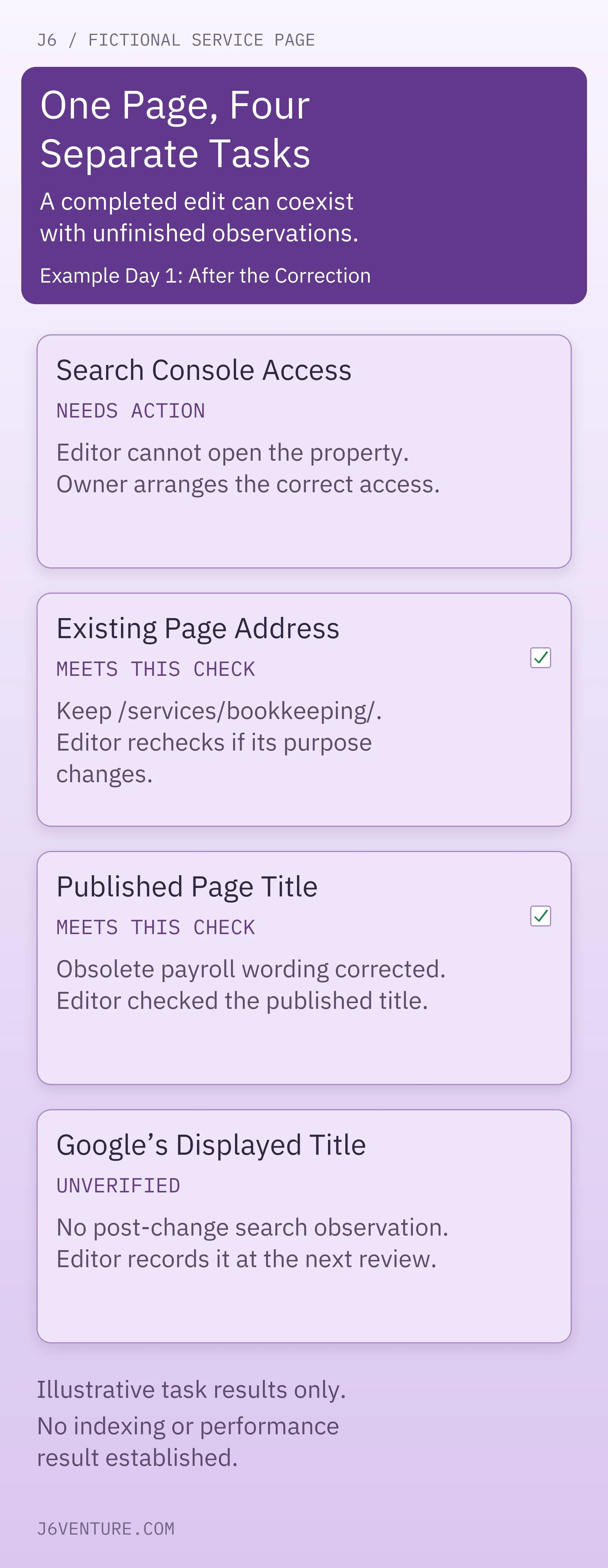
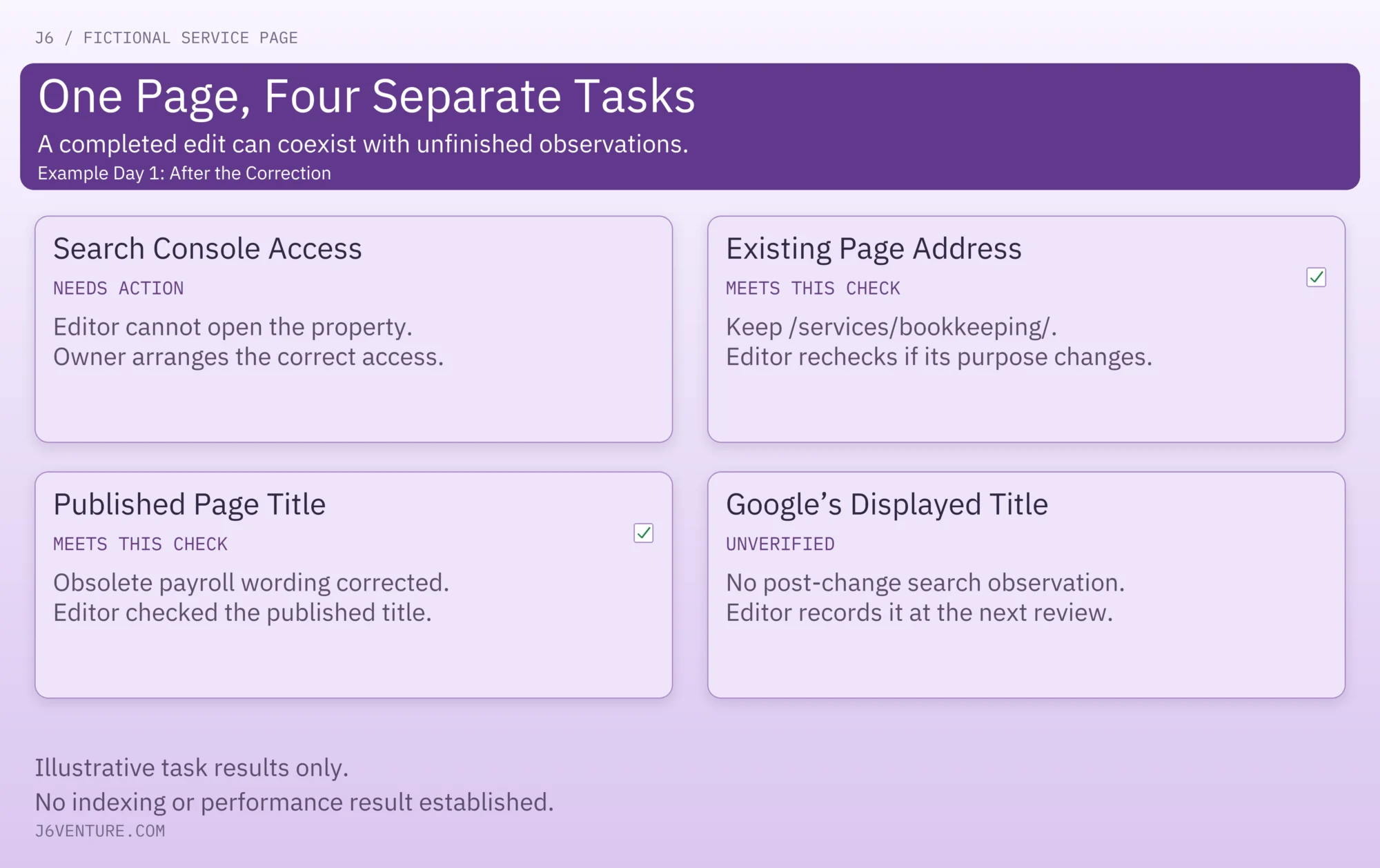
The owner’s access task remains open while the editor’s wording correction is complete. Leaving the useful address unchanged is also a legitimate completed check. No search or customer outcome is measured in this exercise.
The firm can use its accurately corrected page while the later search observation is pending. If a check instead reveals a material accuracy, security, or intended-access problem, resolve the relevant problem before relying on the page to serve that purpose.
If the team receives an audit report about the page, the separate guide to reading an SEO audit report covers that task. Keep the report’s interpretation separate from this record of what each person checked.
Copy a Record for Your Next Task
Use one short record per task that needs to be tracked or handed over:
Task-Record Template
- Site and specific URL/template:
- Task and narrow condition being checked:
- Does it apply? If not, why?
- Check date and inspected version:
- Result: Meets this check / Needs action / Unverified / Not applicable
- Dated observation or supporting record:
- What the evidence does not establish:
- Next action and accountable person:
- What will close this task:
- Next review date or reopening trigger:
Pick the next applicable unfinished task. If it requires an uncertain technical diagnosis, retain the specific finding and move it into the relevant investigation. Name the person responsible and the observation that will close that task.