A document can contain the answer and still be missing from your results. Changing the query helps when the words are the problem. Changing words cannot retrieve a document outside the collection being searched.
The practical question is where the connection broke: the searched content, the matching rule, or your assessment of the results. You can check these separately without knowing how to build a search engine.
What Does Keyword Search Mean?
Keyword search is a way to retrieve information using words or phrases. You enter a query, such as “cancel subscription,” and the search system looks for matching material in the content it can search. That content might be a help center, a document collection, or a web search index.
The same phrase also appears in SEO discussions. Someone looking for a “keyword search tool” may want to discover queries that customers use, estimate demand, and plan pages. That task is usually called keyword research. Our explanation of what a keyword means in SEO covers the relationship between search terms and pages.
Here, the job is retrieving an answer from a collection. For example, a customer wants instructions for canceling a subscription. A marketer researching how many people search for cancellation instructions has a different job, even if both start with similar words.
How Does Keyword Search Turn Words Into Results?
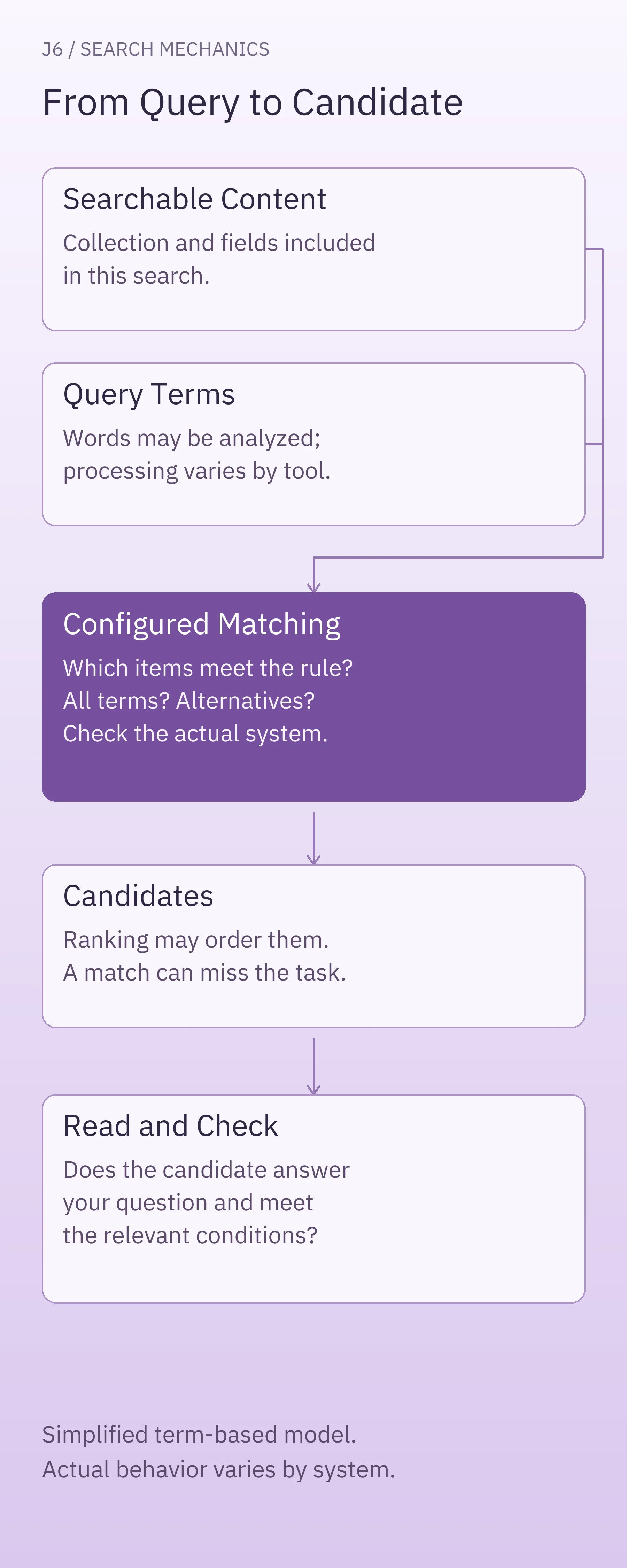
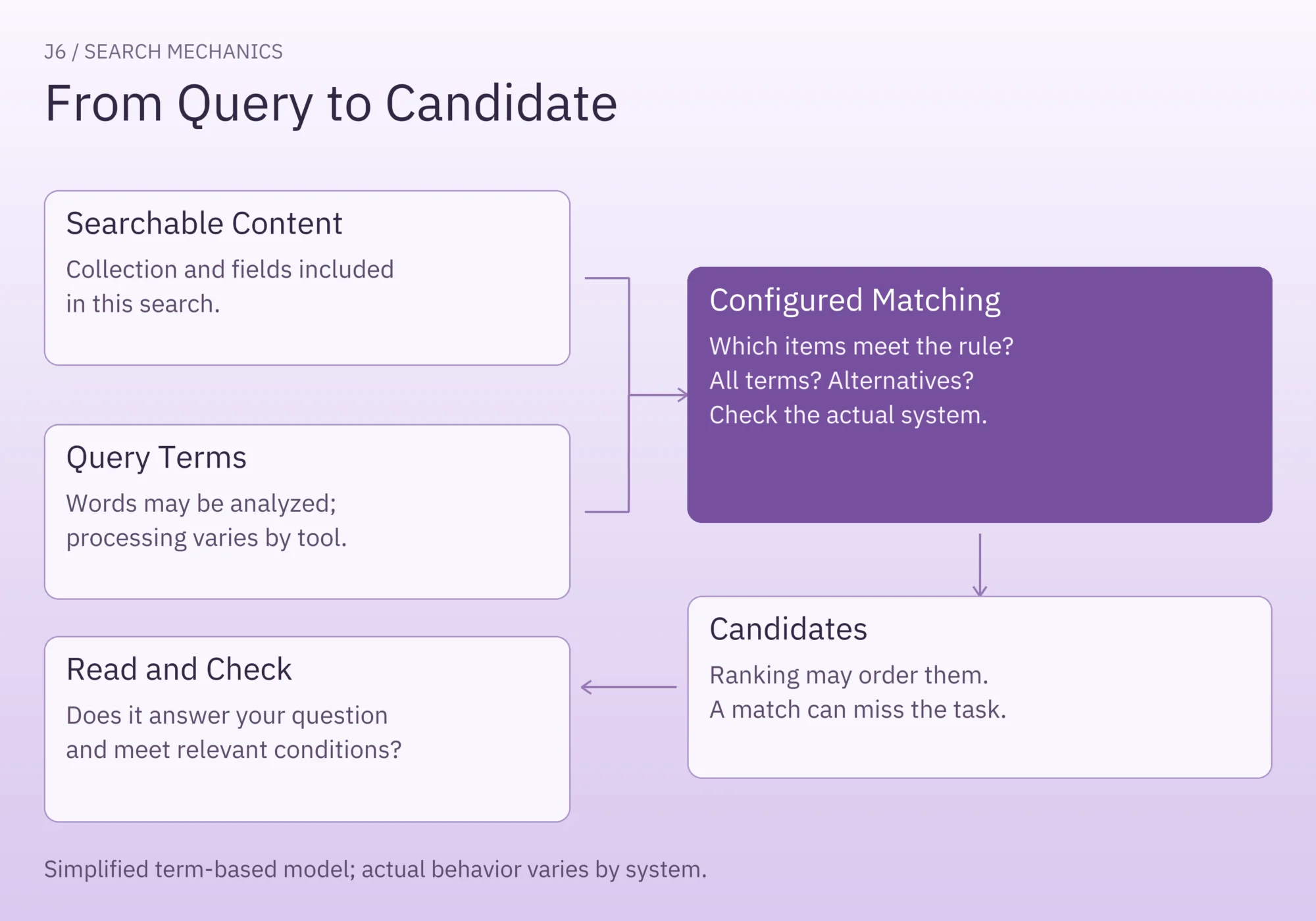
Start with two inputs: the content available to search and the words in the query. The matching rules determine which items qualify. A system may then rank those candidates; you still need to decide which one answers the question.
Searchable content. A tool can only match against the material included in its search. Check which collection and fields it covers. A document title, its body, and text inside an attachment are different places to look; do not assume an interface searches all three.
Text analysis. Some systems break text into smaller units called tokens and normalize them. That can include lowercasing or reducing word variants to a common form. For example, a configured stemmer can reduce “foxes” to “fox,” allowing different word forms to share a root. Elastic’s text-analysis documentation explains these operations. Stemming and synonym handling depend on the configuration; they are not automatic properties of every search box.
Matching. A term-based search can operate on those processed units. Elastic’s match-query documentation describes analyzing text before matching. This is why defining all keyword search as an unchanged character-string lookup is too narrow.
The rules also determine whether a document must match every query term or can match an alternative. Phrase searching, spelling tolerance, and supported operators vary. Learn the tool’s actual behavior before relying on a particular syntax.
Ranking and usefulness. Matching decides which items qualify under the rule. Ranking, when provided, orders candidates using the system’s scoring method. Neither establishes that the first result contains the answer you need. Read it and check its subject, conditions, and instructions.
Google Search can connect different wording through systems that interpret intent. A page can therefore appear even when it lacks the exact words in your query.
How to Build and Refine a Useful Query
Step 1: Check Where and What You Are Searching
Name the thing you need to find: “the help article that explains how to cancel a subscription” is a useful goal. Keep that goal fixed while trying different queries.
Check the selected collection, category, date range, and other active filters. If you know a document should exist, confirm its location and whether your account can open it. A search across one workspace cannot establish what exists in another.
Step 2: Choose Terms and Check Matching Options
Choose words that describe the subject and task. For cancellation instructions, “cancel subscription” is a reasonable starting query. If the product calls the task “close account,” that wording may be worth trying after checking what closing the account means.
Use results to learn the collection’s vocabulary. National University’s keyword-searching guidance recommends identifying main concepts and learning additional terms as you search.
Check the search help before using quotes, AND, OR, or wildcards. Their support and defaults differ. Under a rule requiring every term, adding a word introduces another requirement. Under a rule accepting alternatives, adding a term can admit additional documents.
Step 3: Inspect Results Before Changing the Query
Open a plausible candidate. Does it address the task, the correct product or account type, and any conditions that matter? A billing-support page can match a payment query without explaining cancellation.
Change one aspect at a time: the task word, the subject word, or the search scope. Record the query and the useful candidate if you need to repeat or share the search. A count of results alone cannot tell you whether the change helped.
A Worked Search Through Four Help Articles
The following four records are invented. We ran a small local script against their titles and summaries to make every match and miss inspectable. This is a demonstration of one defined rule, not a test of Google, Elasticsearch, or a customer’s search system.
| ID | Title | Summary |
|---|---|---|
| A | Cancel a Subscription | Cancel a subscription from billing settings. |
| B | Change a Billing Plan | Upgrade or downgrade the plan from billing settings. |
| C | Contact Billing Support | Get help with a payment problem. |
| D | Export Workspace Data | Export workspace data before closing the account. |
The rule: lowercase the query and the combined title and summary, keep sequences of English letters and digits as words, and require every distinct query word to appear somewhere in a record. Word order does not matter. There is no stemming, synonym expansion, typo correction, phrase syntax, or ranking. IDs below follow the original record order.
Start With a Miss and Find a Candidate
The goal is to find cancellation instructions. Start with a reader’s wording, “stop recurring payment.” No record contains all three required words, so the result is empty.
Try the broader term “billing.” Records A, B, and C qualify. Reading their titles reveals a more useful task word: “cancel.” The query “cancel subscription” returns A.
| Query | Records Searched | Returned IDs | What the Observation Establishes |
|---|---|---|---|
| stop recurring payment | A, B, C, D | None | No record satisfies all three words under this rule. |
| billing | A, B, C, D | A, B, C | The broad term admits several candidates with different purposes. |
| cancel subscription | A, B, C, D | A | A contains both task and subject terms. |
| subscription cancel | A, B, C, D | A | Reversing word order changes nothing under this rule. |
| cancel subscription renewal | A, B, C, D | None | The extra required word removes A from the results. |
| cancel subscription | B, C, D | None | The searched subset excludes the matching record. |
A is a relevant candidate in this invented collection. In a real help center, you would open the article and check the applicable instructions.
Change Word Order or Add Another Requirement
The query “subscription cancel” returns A because this rule checks word presence in any order. It does not look for the original query as one uninterrupted string.
The query “cancel subscription renewal” adds “renewal.” Although A is still the candidate we want, it lacks that word. Requiring more terms has made this particular search less useful. The observation depends on the all-terms rule; it does not show that longer queries always perform worse.
Remove a Document From the Search Scope
Searching “cancel subscription” over B, C, and D keeps the wording unchanged while narrowing the searched collection. A cannot appear because it is outside that subset.
This demonstrates a scope limit only. The script did not simulate user permissions or an indexing failure. Those are separate possibilities to investigate in a real system when an expected document cannot be found.
What to Check When Search Still Disappoints
Use the symptom to choose a check, without treating it as a diagnosis.
- No results: try a known distinctive term from an expected document, then inspect the collection and filters. If that document still does not appear, check access and the system’s indexing or synchronization information with its owner.
- Many unrelated results: inspect which part of the query they match. Add a discriminating subject or task term if the search supports the intended combination, then read the new candidates.
- A match that fails to answer the question: check the document’s actual instructions and conditions. The next action may be finding another document or asking for missing guidance.
- A useful document appears only with different wording: retain the successful vocabulary. If you own the content or search configuration, assess whether clearer labels or supported synonym handling would help this particular task.
For public web search, access and indexing have their own limits. Google explains that some pages require a login and not every processed page is indexed. Repeating a query cannot guarantee that an absent page will become searchable.
For an internal tool, ask its owner which collection and fields are indexed, whether the item has synchronized, and whether your account should have access.
When Can Semantic or Hybrid Search Help?
Term-based retrieval can struggle when a reader’s wording and a document’s wording have little overlap and the system does not connect them. Semantic retrieval aims to connect wording with a similar meaning. In our cancellation example, it might connect “stop recurring payment” with cancellation instructions; the demonstrated script has no such capability.
Hybrid search combines term-based (lexical) and semantic approaches. Elastic describes combining full-text and semantic search in its own search platform. That is a possible approach to investigate, not evidence that a particular configuration will improve your results.
Both approaches still depend on searchable content and still require a relevance check. A semantically related answer can concern the wrong task. If you are evaluating a change, use representative questions and inspect whether the returned documents answer them, including cases where precise wording matters.
A Short Checklist for Your Next Search
Before starting another query, write down:
- The answer or document you need.
- The collection, fields, and filters you are searching.
- The query terms and any matching options you are relying on.
- The candidate you opened and whether it answers the task.
- The single change or coverage check you will try next.
If a query produces a useful candidate, save the query alongside the document link. If the expected document remains missing, give the search owner the exact query, searched location, active filters, and expected document. That makes the next investigation concrete while keeping wording and coverage problems separate.