Another blog post can leave you with exactly the same traffic problem. The page may answer a good question, yet never reach the people asking it. Or your promotion may attract attention while leaving people unsure where to go next.
Before adding to your publishing schedule, follow one useful page through the places where people could encounter it. Check whether the newsletter has actually gone out, whether the community allows the link, and whether the ad leads to the class someone wanted to book. Those checks turn “we need more traffic” into work you can act on.
Website traffic refers to visits to your site. In Google Analytics 4, a session is a period of interaction with a website or app. One person can return and start another session, so a session total is not a count of distinct people.
Keep three observations separate: someone sees your material on another platform, someone clicks a link, and your website records a visit. These counts can differ. A video view does not require a website visit, and a click may not produce a recorded session if the page fails to load or measurement does not capture it.
A booking, inquiry, purchase, or useful resource download adds another question: what happened after arrival? Choose an action that fits the page. A recorded event counts an occurrence; it does not automatically establish a distinct customer or a profitable sale. Google's Traffic acquisition documentation explains its session and event measures.
More suitable visits can give your business more opportunities. Whether those opportunities turn into results depends on the audience, page, offer, and response that follows. For a deeper explanation of search clicks and visits, use our guide to reading SEO traffic.
Check the Route Before You Add More Promotion
Google's website-traffic guide starts with the purpose of the traffic, distinguishes paid, owned, and earned promotion, and recommends starting with one approach. That restraint is useful when your time is limited.
You still need to make the chosen route work. A useful page, an agreed placement, a published link, and a recorded visit are different stages.
Give People a Specific Reason to Visit
Name the help on the destination page: compare workshop dates, check whether a product fits, use a calculator, or follow instructions for a particular problem. “Visit our website” gives people less to work with than “See the beginner classes that still have places.”
Then connect that reason to a place where the question already matters. An answer to a sizing question belongs beside the sizing concern; an available-class update belongs with people who want that class. The page should deliver what the surrounding message promises.
Starting from zero changes your options. Without suitable subscribers, email is unavailable for now. Look for a relevant existing question in a community that permits your contribution, or a reachable partner with a genuine resource slot. If you cannot establish either audience access or something useful to contribute, resolve that gap first. Search can also help people discover a useful page over time; it does not supply an immediate audience on demand.
Test the Link and What Happens After Arrival
Open the actual destination through the route you plan to use. Check that it loads, the promised information is easy to find, and the intended next action works on a phone as well as a larger screen. A link to a homepage can leave visitors searching again when a relevant product or booking page was available.
If you lack analytics access, you can still verify publication and a working destination. Keep arrivals and outcomes unconfirmed until the person responsible for measurement can check them.
For a manually tagged external campaign, Google's Campaign URL Builder guidance explains how source, medium, and campaign values identify collected traffic. Always include the three core fields: source, medium, and campaign. Use consistent names and include other relevant parameters for your setup. A simple illustrative newsletter link could be:
https://example.com/beginner-workshops?utm_source=studio_newsletter&utm_medium=email&utm_campaign=november_classes
Here, the source names the newsletter, the medium identifies email, and the campaign groups this class promotion. Check the final link after redirects. Preserve established ad-platform auto-tagging arrangements; manually adding parameters is not a substitute for understanding an existing integration.
In GA4, look for Reports → Acquisition → Traffic acquisition, then use session source/medium or session campaign for the relevant period. Select Session campaign and find november_classes, using the campaign value you consistently assigned. Alternatively, search the appropriate source/medium view for studio_newsletter / email. The report can be customized or absent from your navigation; an editor can restore it. Tags help identify recorded traffic. They do not prove every visit was captured or that the campaign caused additional business.
1. Help People Find Useful Pages in Search
Search creates an opportunity when someone asks a question your page can answer. Start with the specific task: a customer looking for “beginner pottery classes in Boston” needs location, suitability, dates, availability, and booking information. A general article about the benefits of pottery may serve a different question.
Use that understanding to improve a relevant existing page or identify a genuinely missing answer. Give the page a descriptive title, clear explanation, and links from relevant parts of your site. Make public information accessible to search engines. Google's SEO Starter Guide explains these foundations and their limits.
The route involves discovery and search-engine decisions before anyone can click. Publishing a page or submitting it for discovery does not guarantee indexing (inclusion in the search engine’s searchable collection), ranking (placement in results), or visits. Avoid choosing a fixed visitor target that assumes all three will happen on schedule.
If you already have search data showing a problem, follow the appropriate diagnosis in the SEO-traffic guide. For organic search CTR, examine the result and its context before assuming a new headline will solve it. Here, the practical first task is to connect an actual search need with a useful, discoverable destination.
2. Give Subscribers a Reason to Return
Email can bring people back when you already have an appropriate subscriber audience and something relevant has changed. Send a specific update: a new class date, a requested explanation, a product becoming available again, or a useful resource connected to their interests.
Put the relevant link beside the reason to visit. A subscriber reading about a particular workshop should reach that workshop's details, not have to reconstruct the path from a general homepage. Test the message's final link before sending and respect the audience's preferences and permission to receive your messages.
Record what the sending system actually reports. A message marked sent or delivered does not establish inbox placement, reading, or a click. Compare those observations with the website's recorded traffic for the campaign, keeping their definitions separate.
Repeat visits count as traffic too. An email update can be worthwhile even when it brings back existing readers, but it should not be reported as acquiring that many new people.
3. Connect Social and Community Contributions to a Useful Page
Give people something useful where they already are. Answer the question, show a relevant demonstration, or share a clear preview. Then make the deeper website resource available through a link route the platform and community actually allow.
For example, a short demonstration of how a beginner pottery session works can help someone understand what they would be booking. Where an appropriate clickable link is available, point it to the matching class page. If the route is through a profile or description, tell people where the class information is and test that path. Do not assume a pasted URL in every format will be clickable.
In a discussion group, explain the relevant point in your contribution. Add your page only when it supplies useful detail and the rules permit it. Repeatedly posting a promotional link into unrelated questions is unlikely to help the people you want to reach.
Check the native contribution and the path back to your site separately. Reactions, followers, and video views describe activity on that platform. Website arrivals require another observation. A popular post can be useful for other reasons while producing little recorded site traffic.
4. Earn Visits Through Relevant Partners and References
Find places where your page would help another audience complete an existing task. A local arts newsletter might list suitable classes. An association resource page might help members find a relevant explanation. A complementary business might answer a recurring customer question by referring to your guide.
Make a specific suggestion: which audience question your page answers, what is useful on it, and where it could fit. Let the publisher decide whether it helps. For evaluating the source and terms, use our guide to high-quality backlinks; a ranking score alone cannot tell you whether anyone will use a reference.
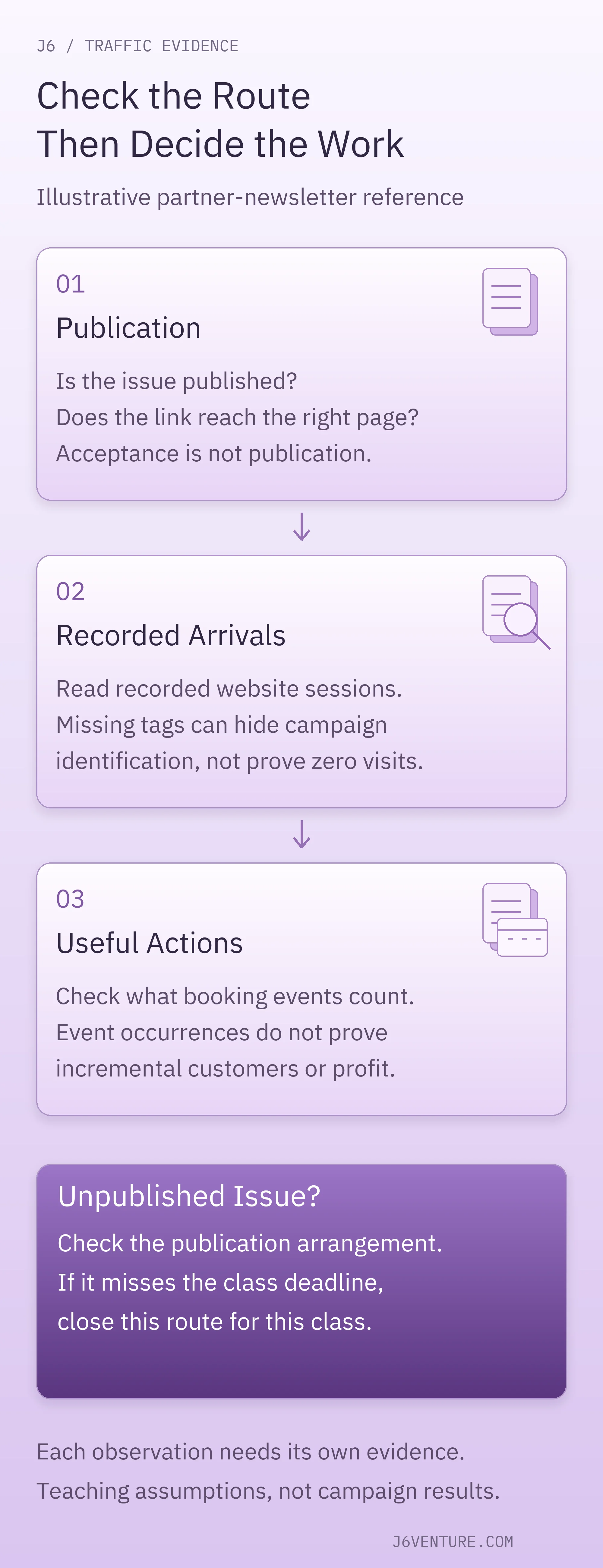
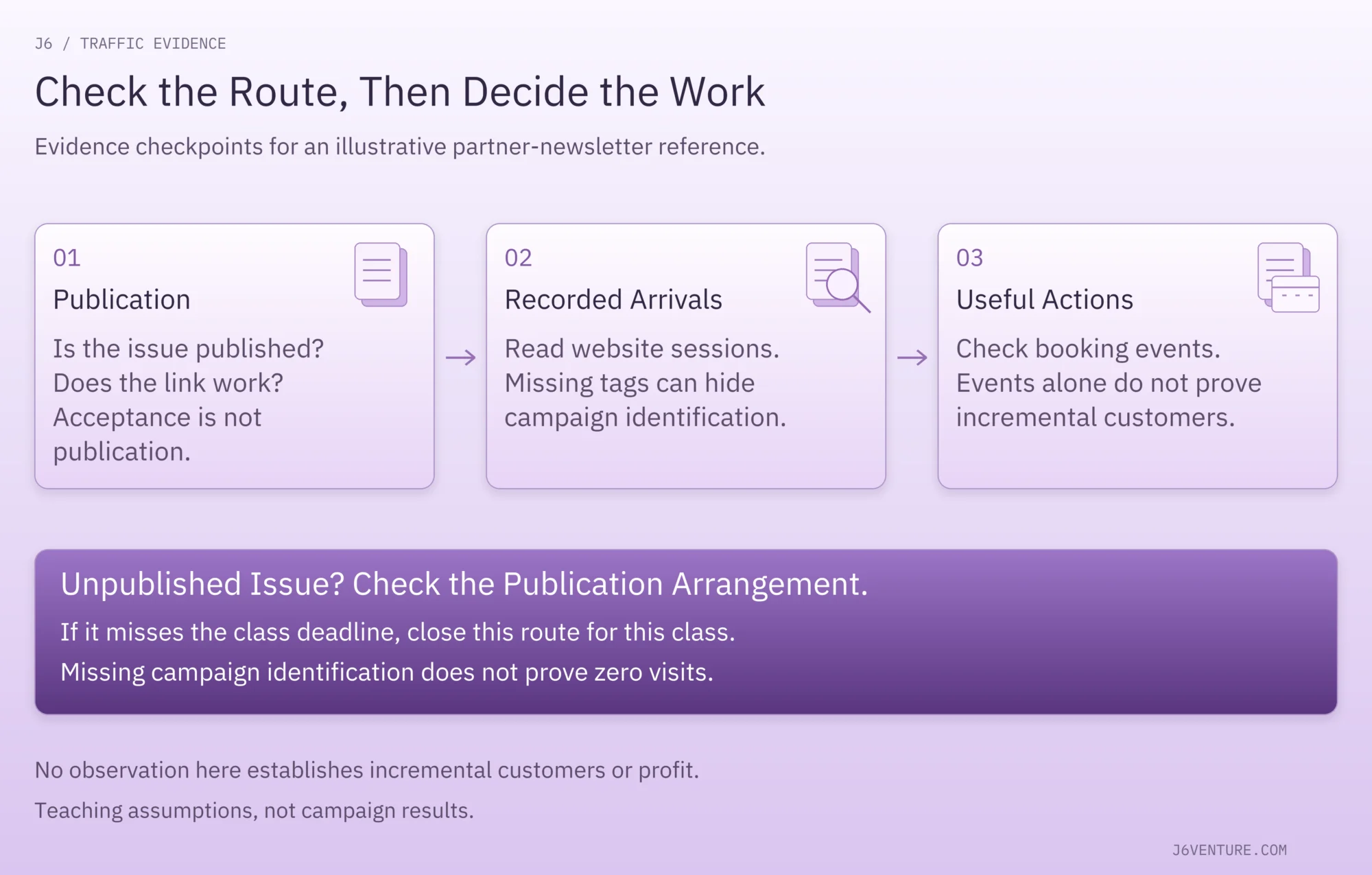
After agreement, check the actual issue or page. Is the link published? Does it reach the intended destination? Is the information still useful when the audience encounters it? Acceptance by an editor has not yet created a live opportunity to visit.
Offline references can also provide a route. A QR code on an appropriate event notice can point to the specific schedule or booking page. Scan the printed version and check the destination. Placement, scans, recorded visits, and bookings remain different observations; do not turn one into the next by assumption.
5. Use Paid Promotion With a Defined Landing Page
Paid promotion buys placement or exposure under the platform's terms. It can give a useful page another route to an audience, with continuing costs and no guarantee of a suitable response.
For an illustrative search-ad route, a studio could advertise an available beginner class to people searching for that kind of class in its service area. The ad describes the relevant class, and its link opens the page showing dates, price, suitability, and booking. The connection between that search, message, and destination gives the click a clear purpose.
Before launching, establish the spending controls, who monitors delivery and charges, and what observation would justify continuing. Check the actual landing link and measurement setup. A page with no bookable places is a poor destination for an availability-led ad.
Google explicitly states that advertising with Google does not affect your presence in its organic search results. Track spend and useful responses alongside recorded arrivals. If measurement or delivery is unclear, investigate before committing more money; inexpensive clicks alone do not establish a worthwhile acquisition route.
Work Through a Traffic-Growth Example
The following studio and records are illustrative. They are teaching assumptions, not a J6 campaign or observed company results. Assume a ceramics studio has a useful beginner-workshop page and an appropriate existing subscriber segment.
The example follows this timeline:
- October 20–24: the studio collects observations from an earlier class-email update. We examine those records below.
- October 25: an additional class session becomes available. The owner has four hours for promotion, with fresh news for subscribers who want new dates.
- November 1: an interim response check is planned if the partner issue has appeared.
- November 2: bookings close for the workshop dates in this example, including the added session.
- November 8: the added class takes place.
Two routes are in progress: a class-specific email update and a proposed reference in a local arts newsletter. The owner needs to decide what work deserves the next part of those four hours.
Follow the Email Route
Assume the email system reports delivery of the October 20 update. Its class-specific link was tested, and the website's consistently configured campaign report records 40 sessions and 4 completed-booking events for October 20–24. These are separate records: provider-reported delivery, a working link, recorded sessions, and event occurrences.
Those records do not prove four distinct new customers, incremental bookings, or profit. Confirm actual booking records before making a sales claim. An event could fire more than once or include a booking from an existing customer.
A brief update about the newly added November 8 session can remain in the owner’s plan because the suitable subscriber audience and tested link already exist. Skip another email if there is no fresh useful news or the audience’s preferences make it unsuitable. The earlier observations do not promise the same response next time.
Check the Partner Route Before Judging It
Assume the local arts editor accepted the reference, but the relevant issue has not been published. There is no live newsletter placement to inspect yet. Calling that audience unresponsive would skip the delivery question.
Ask which issue will carry the reference and whether it will appear while the class is still bookable. Once it appears, check the actual link. If the editor cannot publish in time, drop that route for this class rather than keep preparing material for an unusable window.
Suppose a different check finds the issue is live but its link lacks the agreed campaign tag. That leaves campaign identification incomplete. Visits may still appear under another source or classification; missing tags do not establish that nobody arrived. Ask the measurement owner what can be identified from the available records before reporting a zero.
Choose the Next Task From the Evidence
For this example, allocate up to 30 minutes of the owner's four-hour allowance to resolving the newsletter's issue date and inspecting the reference if it is live. Prepare the relevant new-date email update within the remaining allowance. Defer producing a new general pottery article while the immediate distribution question remains unanswered.
The next action depends on what the check finds:
- No issue date is confirmed: record publication as unconfirmed and pause further preparation for this placement. A dated reply from the editor or the published issue reopens the task.
- The issue will miss November 2: close the partner opportunity for this class. Use the suitable email update for remaining availability if its audience and fresh news still fit.
- The issue appears while bookings are open: check the published reference and its actual link before judging response. If it has appeared by November 1, use that interim check to review recorded visits and relevant responses. If it appears later but before the cutoff, inspect it then.
- There are no suitable subscribers: the email fallback is unavailable. If the partner also misses the booking window, stop this class-specific promotion and establish a permitted community or partner opportunity for a still-useful page or later dates.
- The class is fully booked: change the visitor task, such as showing later dates, before continuing an availability-led promotion.
- A live, reliably measured reference brings repeated unsuitable inquiries: inspect the audience and message fit. This finding requires actual response evidence.
November 1 is an interim work check before the booking cutoff, not a universal window for judging performance. If the issue has not appeared, delivery remains unconfirmed. If response records are too limited to judge, say so. None of those response findings follows from an unpublished link alone.
Pending partner note, illustrative:
- Page and route: beginner-workshop page through the local arts newsletter.
- Known and unknown: reference accepted; publication unconfirmed as of October 25. Partner-attributed arrivals and bookings remain unknown.
- Owner and task: studio owner; spend up to 30 minutes confirming the issue date and checking the actual link.
- Review trigger: pause further placement preparation if unanswered. Reopen on a dated reply or publication; close this class-specific route if it misses November 2.
Decide What to Repeat, Repair, or Stop
Before adding another traffic tactic, complete a short note for the page you are promoting:
- Route and reason: where people should encounter it, which page they reach, and why that visit is useful.
- Delivery evidence: the live issue, post, reference, message record, ad placement, or search observation you actually checked.
- Response: recorded arrivals and the relevant actions, with the period, definitions, and unknowns attached.
- Next task: repeat a suitable activity, repair a specific broken or unverified part, or stop/defer a route that cannot serve its purpose within your constraints.
- Owner and review trigger: who does the work and when there will be new evidence to assess.
When delivery is missing, resolve delivery. When campaign identification is incomplete, resolve what can be measured. When people arrive but cannot find the promised help, inspect that experience before buying more exposure. When the route is usable and the response is relevant, decide whether another bounded contribution is worth its time and cost.
Choose one useful page and one workable next action. Make the route real, retain the evidence it produces, and let that evidence guide the next piece of work.