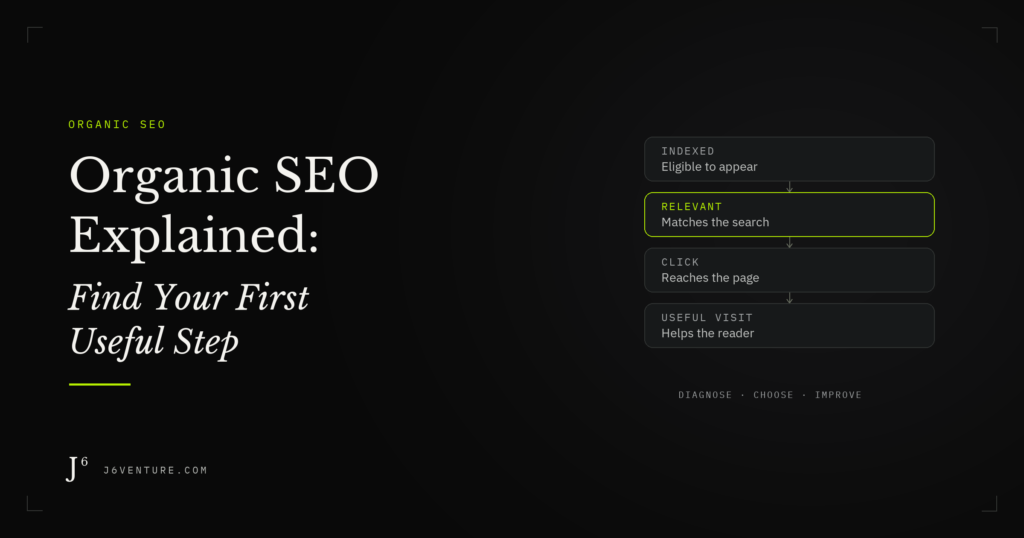
Organic SEO helps relevant pages appear in unpaid search results and serve the people who click them. Start by diagnosing one page that matters to your business: check indexing, relevant appearances, clicks, and the visitor’s next step, then address the clearest obstacle.
What Is Organic SEO?
Organic SEO helps people find your website through search results that do not charge you for each click. The work includes making pages accessible to search engines, answering relevant questions, and helping readers reach useful information. The method here uses Google Search Console to help you decide where to start improving an existing page. Diagnose before you optimize.
How Organic Results Differ From Paid Ads
Paid search lets an advertiser compete for advertising placements. Organic results are selected through the search engine’s systems. Google says you cannot pay it to crawl a site more frequently or rank it higher in organic results. Google’s explanation of how Search works describes crawling, indexing, and serving results as separate stages.
An ad campaign and an organic page can address the same search. Measure their placements separately: buying ads does not purchase an organic position.
What “Unpaid” Means for the Work and Cost
“Unpaid” describes the placement. Research, writing, development, design, and maintenance still consume time or money. A business also pays an opportunity cost when its team works on pages that attract an audience it cannot help.
Organic visibility can change, and neither publication nor payment for SEO guarantees it. Set a budget around the work you can justify and evaluate. Leave room to maintain existing pages as information, products, and search results change.
How a Page Becomes an Organic Search Visit
A useful way to diagnose a page is to separate four outcomes: it is indexed, it appears for relevant searches, someone clicks, and the visit helps that person move forward. Each outcome needs different evidence. This is a troubleshooting sequence; it simplifies a search system with many interacting signals.
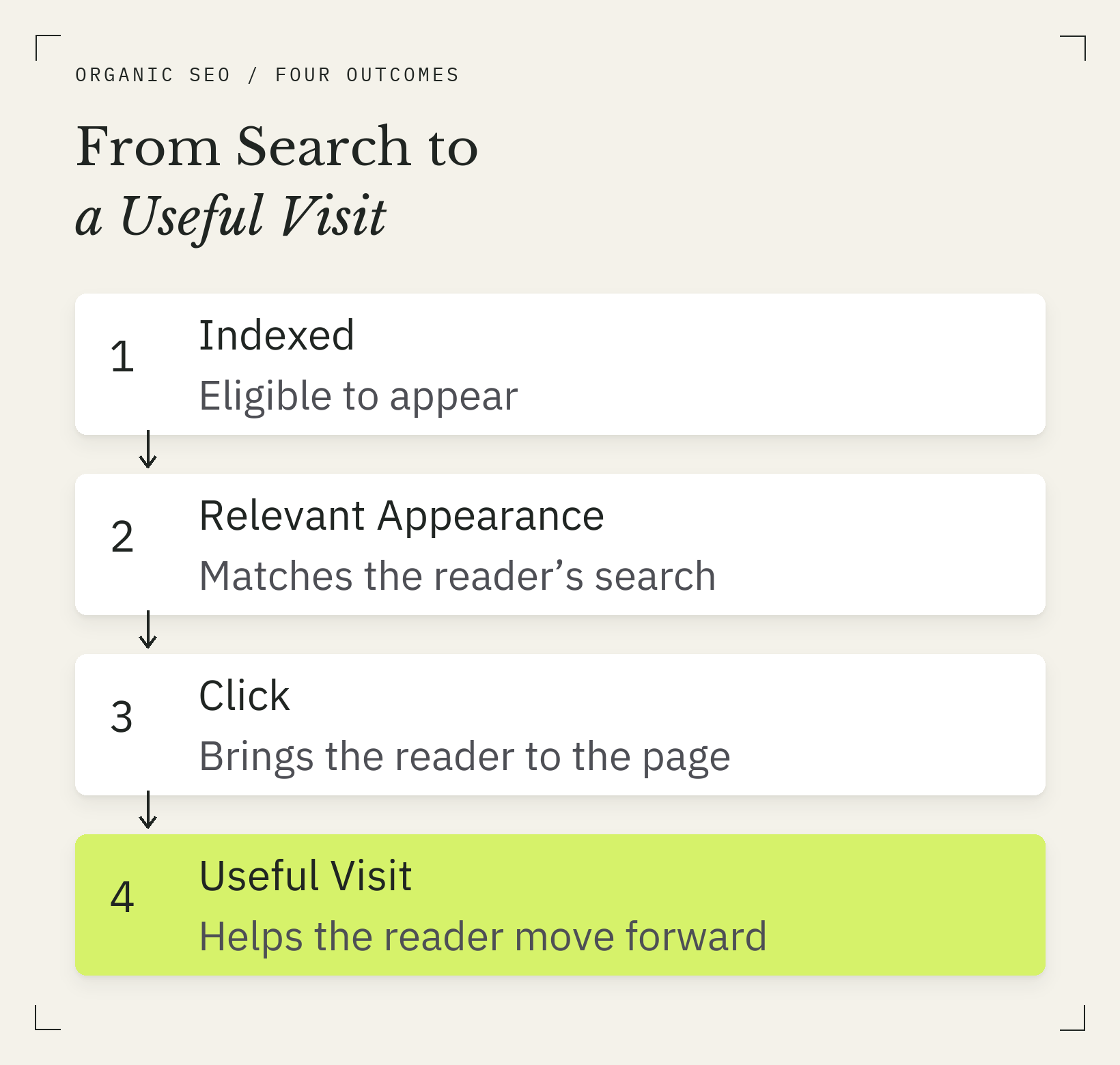
Check each outcome separately. This is a diagnostic sequence, with different evidence needed at each stage.
Google Must Discover and Index the Page
Google can discover URLs through links and sitemaps, then crawl their content. Indexing means processing and storing information about a page in Google’s search database. Discovery alone does not guarantee indexing. An indexed page is eligible to appear, but that does not guarantee it will appear for the searches you want.
Use URL Inspection to check what Google reports about a specific URL. Its indexed report reflects Google’s stored information. A live test checks the current page and cannot guarantee indexing. Keep those two views separate when a page has recently changed.
The Page Must Be Relevant to the Search
A search gives you clues about the reader’s task. Someone looking for a definition may need a short explanation and an example. Someone evaluating a service needs enough detail to judge whether it fits their situation.
Read the results for the searches you want to serve. Look at the kinds of pages and answers that appear, then compare the job your page performs. A phrase in the title cannot compensate for a page that leaves the reader’s question unanswered. Our guide to keywords and page decisions explains how related searches can belong to one coherent page.
Appearing in Search Must Lead to a Click
An impression records an appearance under Search Console’s counting rules. It does not show that someone paid attention to the result. A click is a separate event; CTR is clicks divided by impressions. Google’s Performance report documentation explains these measures and their limitations.
The title and snippet give the searcher clues about what they will get. Google generates title links from several sources, so an edited title may not appear exactly as written. Its title-link guidance recommends descriptive, concise titles that accurately represent the page.
The Visit Must Help the Reader Take a Useful Next Step
A service-page visitor may need to check suitability or request a conversation. An explainer reader may need only an answer. A relevant link to a deeper explanation can be useful without turning every visit into a sales inquiry.
Define success for that page before choosing a metric. Search Console reports search performance; it does not establish whether the visitor understood the explanation or became a qualified lead. Those questions need other evidence, such as suitable site analytics, inquiry quality, or direct reader feedback.
What Organic SEO Work Can Change
Technical work, content, and links address different obstacles. Choose the type of work that matches the problem you find. A page that search engines cannot access needs a different intervention from an accessible page that leaves a buyer’s question unanswered.
Technical Work Helps Search Engines Access Your Pages
Check for an inaccessible URL, indexing controls, or a canonical choice: the URL Google treats as representative among duplicate pages. A duplicate correctly consolidated under a preferred page may need no change.
Read the reported reason before changing settings. If the issue affects many important URLs, use a full SEO audit to establish its scope.
Content Work Helps Pages Answer the Right Questions
Identify what the reader needs to understand or decide, then find the missing or difficult part. The fix might be a direct definition, a comparison, a verifiable example, or a buyer’s unanswered question.
Preserve useful material and make the smallest coherent improvement that completes the task. Adding words is worthwhile when they supply something the reader needs.
Links Serve Different Jobs
- Internal links connect your own pages, helping readers and search engines find related information.
- Inbound links come from other sites and can help discovery and provide context about your page.
- Outbound citations take readers to the evidence behind a claim. Adding one does not create an inbound endorsement.
Google’s link guidance recommends crawlable links, descriptive anchor text, and an internal link to every page you care about. Check the relationship a link needs to serve before adding it.
Choose Your First Useful Step From the Evidence
An observation tells you where to investigate. It rarely supplies the diagnosis on its own. Use the relevant branch below to check the explanation, then choose one coherent intervention. That may include a title, opening answer, missing section, and supporting link when they solve the same problem.
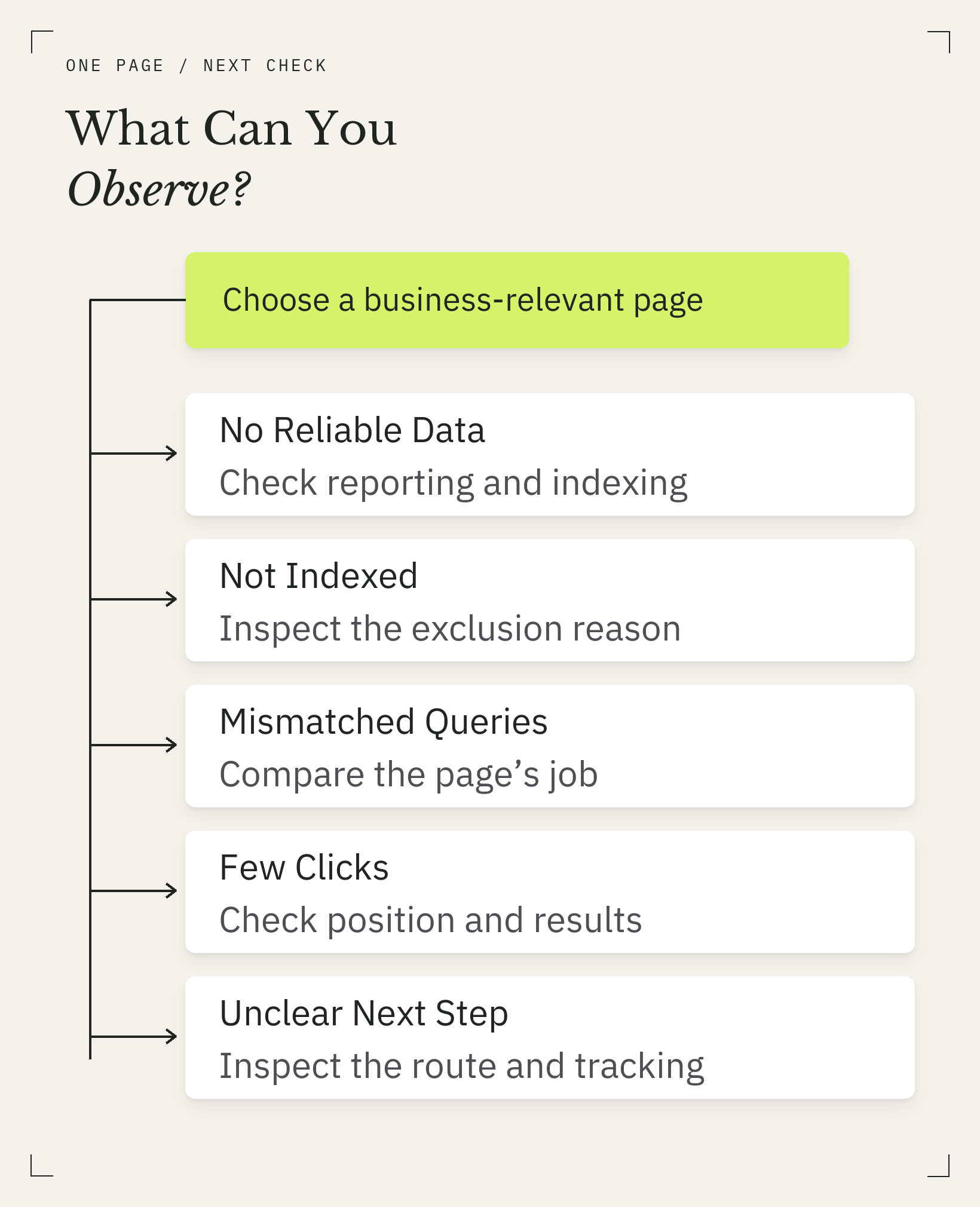
The few-clicks branch concerns relevant impressions. Check the explanation before choosing an edit.
| What You Observe | What Remains Uncertain | First Check and Possible Action |
|---|---|---|
| No reliable search data | Whether the page lacks visibility or the report is incomplete | Confirm the property, date range, and page filter; inspect the URL before rewriting. |
| Page not indexed | Whether exclusion is intentional, technical, or related to Google’s selection | Read the inspection reason and canonical information; correct a confirmed unintended issue. |
| Queries seem unrelated to the page | Whether they are incidental appearances or a meaningful mismatch | Group relevant queries and compare the page’s intended job; clarify that job if the page is ambiguous. |
| Relevant impressions, few clicks | Whether position, result presentation, or the search itself limits clicks | At weak positions, compare task fit and missing information; otherwise inspect the result’s promise and surrounding results. |
| Visits arrive, little useful action | Whether the page lacks an appropriate next step or measurement misses it | Check the page’s purpose, route forward, and tracking; remove a demonstrated obstacle. |
Start With One Page That Matters to Your Business
Choose a page connected to a problem your business can solve or a decision your buyer needs to make. Write down whose problem it serves, how it connects to your offering, and what a reasonable next step would be.
For B2B, useful visibility reaches people evaluating those problems and decisions. A small, relevant audience can justify attention even when a broader topic gets more impressions. Judge a service page by qualified inquiries where you can measure them; judge an explainer by whether it answers the question and offers an appropriate route forward.
You Have No Reliable Search Data Yet
If you cannot access the site in Search Console, ask the person who manages the website for access or help setting it up. Once you have access, select the property for your site and check that the dates and filters include the page. A new page or a small audience may provide too little data for a useful trend. Zero reported clicks alone cannot tell you whether the page is indexed.
Inspect the URL and confirm that a relevant page on your site links to it. Then review its answer and intended audience. Low impressions can reflect low search demand, weak positions, or limited indexing. Check the relevant branch before deciding that the content has failed.
The Page Is Not Indexed
Read the reported reason before deciding what to fix. Compare the URL you want indexed with the canonical information and, where relevant, the current live test. An intentional duplicate needs different treatment from an important page accidentally carrying an indexing restriction.
Resolve the confirmed problem, then use the available inspection or indexing-request options appropriately. Requesting indexing does not guarantee inclusion or a deadline. Repeated requests cannot substitute for understanding the exclusion.
The Page Appears for Searches It Does Not Answer Well
Filter the Performance report to the page and group its visible queries by the reader’s task. Separate a recurring mismatch from a handful of incidental appearances.
Inspect the wording next. A broad term may have several meanings; the title and opening should make yours clear. If several sections promise different answers, sharpen the main job and link to the adjacent topics. Check the internal links pointing to the page: do their labels accurately describe what a visitor will find?
For a query that matters, inspect which other URLs from your site appear. Shared queries are a reason to compare those pages’ jobs; they do not automatically justify a merge. Improve the page already best suited to the task before creating another URL.
If the page and its links are coherent and the mismatch is sparse, leave the focus intact and watch whether the pattern persists. The report alone does not explain why Google showed the page for an unexpected query.
Relevant Searches Produce Impressions but Few Clicks
First inspect position for the relevant query group. When appearances occur far down the results, a low CTR gives you weak evidence about the quality of the title. The result may rarely be encountered by someone ready to click.
For those lower-position queries, compare your page with the pages Google currently shows. Do they serve the same task? Do they supply a necessary explanation or decision detail that yours lacks? Choose one demonstrable gap to address. If you cannot identify one, check the wider site or seek a deeper diagnosis before assuming a rewrite will help.
Where position makes result presentation worth investigating, inspect competing titles, formats, and whether the results page supplies the answer. There is no universal CTR cutoff that proves a title problem. Change the title when you can identify a clearer, accurate promise. Avoid promising a guide, comparison, or tool that the page does not provide.
Search Visits Arrive but the Next Step Is Unclear
Read the page as someone arriving from its relevant searches. Can they find the promised answer? If they need more help, is there an appropriate route to it? On a service page, that might be a clear way to discuss requirements; on an explainer, a related explanation may be enough.
Verify measurement before interpreting a missing event. An unrecorded click and an absent click are different possibilities. An informational visit can be complete without another action.
Work Through Real Examples
This J6 rewrite shows how evidence changed the scope of an intervention. Two public Cloudflare pages then show what to inspect in a service page and an explainer. The review date is October 8, 2026. The J6 case records a decision; post-rewrite performance is not yet available.
Why This J6 Page Needed More Than a New Title
Before rewriting this article, we checked its Search Console history for September 1 through October 5, 2026. It had 460 impressions, zero clicks, and an impression-weighted average position of about 83. URL Inspection reported it as indexed, with the intended canonical URL.
Zero clicks gave us a symptom. The weak positions made that a poor basis for blaming the title, while the indexing report gave us no reason to start by changing indexing controls. The old article offered setup steps and a general improvement checklist, but did not distinguish whether indexing, query fit, result presentation, or the next action should be investigated first.
We kept the existing URL and rebuilt the article around the four outcomes, the triage table, and a change record. The title changed as part of that coherent rewrite. We did not treat a title-only edit or an indexing request as the recovery plan.
The decision gained a clearer basis; the traffic result remains to be measured. The next review will compare this page’s relevant queries and positions alongside the wider site trend, since the original visibility decline also affected other pages.
A Service Page That Helps a Buyer Evaluate Fit
Cloudflare’s Business plan page describes protection for web applications and presents features including security, DNS, and CDN services. It also offers routes to pricing and getting started, with paid add-ons identified separately.
Those elements give a reader several things to evaluate: what the service covers, which capabilities are included, and where to continue the purchase investigation. Check those details against your buyer’s requirements.
For your own service page, use this as a content check: can a visitor identify the supported problem and find the information needed to assess fit? If a relevant visitor cannot tell whether a critical requirement is covered, investigating that missing answer has a clearer rationale than adding another general paragraph about benefits.
Prioritize the missing decision detail over another general benefits paragraph.
An Explainer That Answers a Specific Question
Cloudflare’s DNS explainer introduces the concept before explaining how resolution works. Its contents and learning objectives make the available explanation visible. More detailed sections cover server roles, lookup steps, and caching, with links to related DNS topics.
The sequencing matters to the reading task: someone seeking a definition can find it early, while someone needing the mechanism can continue. The page also qualifies its step-by-step description with the effect of caching. That qualification prevents a simplified sequence from being presented as what happens in every request.
Start the inspection with a concrete question: can a beginner find what DNS does before learning the server names? The opening definition answers it, giving us no reason to recommend a longer introduction. The next check is whether the sequence preserves conditions that change it; the caching qualification does.
Nothing in this inspection justifies lengthening the opening. Keep it. On your own explainer, fix a missing definition or condition, then reread the passage against the reader’s question. Use reader feedback to check understanding and search data to evaluate visibility.
What These Examples Can and Cannot Prove
The J6 case shows a documented editorial decision, with the outcome still open. The Cloudflare examples show content choices that serve distinct reader jobs; we have no access to their traffic or conversion data. Use the reasoning to inspect your page, and measure its results separately.
Make One Focused Change and Evaluate It
Record the problem and the intended improvement before editing. Make one coherent intervention, which can include several connected edits. Afterward, check whether the obstacle is resolved and compare the relevant measures. Account for changes in demand, competition, and the wider site when interpreting the result.
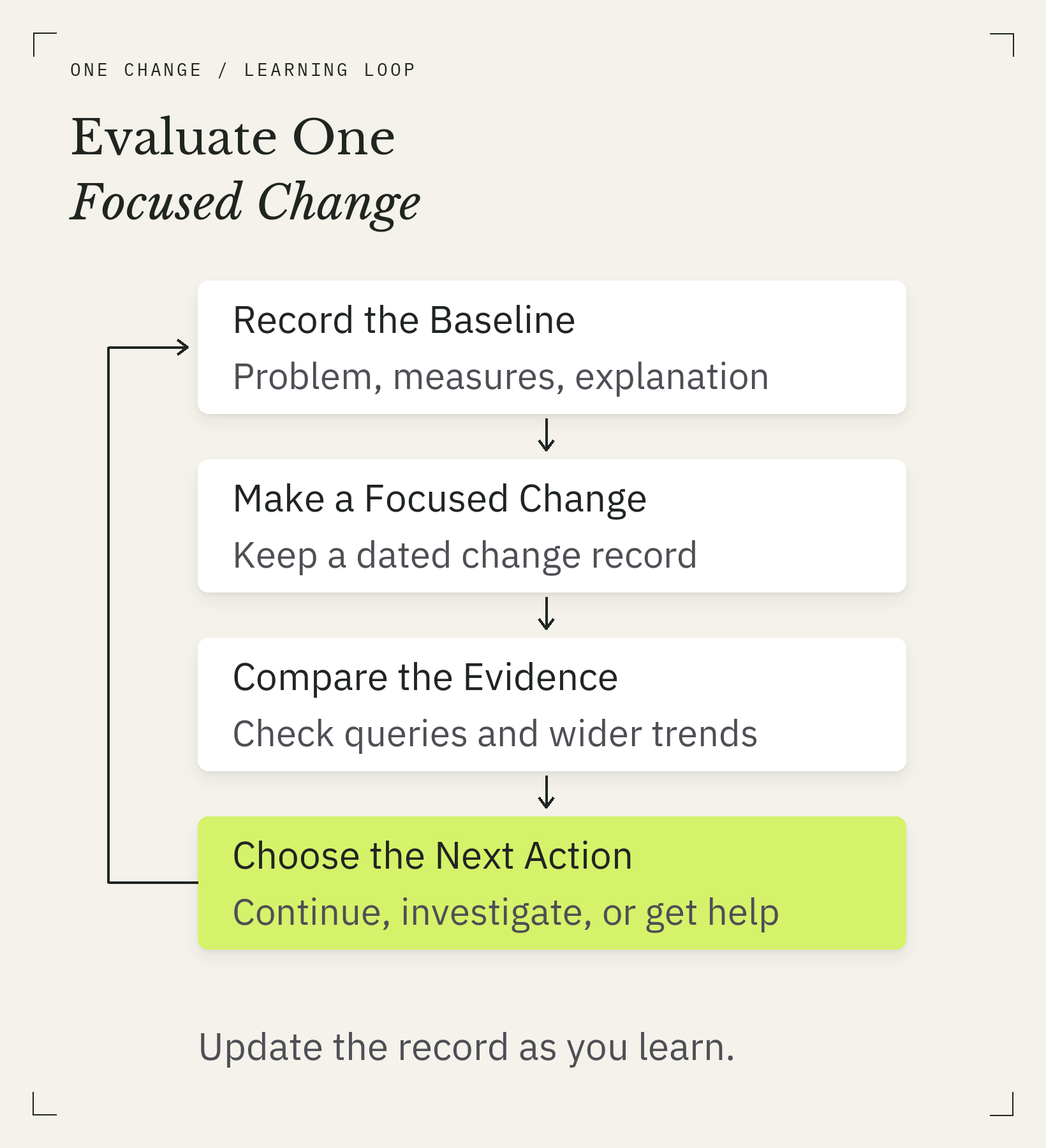
Update the record as you learn. A change in results alone cannot prove cause.
Record the Baseline and Your Reason for the Change
First Change Record
Copy these fields into your working notes before editing.
- Page URL and reader job:
- Observation, date, query group, and baseline measures:
- What remains unknown:
- Change, or reason to leave the page alone:
- Evidence that would support or challenge the explanation:
- Next review date and matching filters:
Match the follow-up to the problem. An indexing restriction needs an inspection check; a revised title needs query-level context; a clearer explanation needs evidence of reader understanding.
Save the original content and list the connected edits in your record. Keep unrelated changes for a separate decision so the reason for this intervention stays clear.
Compare Similar Periods and Relevant Queries
Compare equivalent date ranges and keep page, country, device, and search-type filters consistent where they matter. Review the queries the page is meant to serve. An average across unrelated searches can obscure what happened to the intended audience.
Check the wider site too. A broad decline calls for investigation beyond the edited page. Low counts, seasonality, and changes in query mix limit what a comparison can establish. Choose a review period that allows data to accumulate; our guide to how long SEO takes covers the timing question in more detail.
Decide Whether to Continue, Investigate, or Get Help
Continue when the original problem is resolved and relevant evidence supports the direction. Investigate when the measure changes but the explanation remains uncertain. Get technical help when an access or indexing problem exceeds what you can safely diagnose, especially across multiple valuable pages.
Choose your page and complete the First Change Record before editing. Be able to explain why this page matters, which obstacle you checked, and why your intervention fits. Good SEO begins with a justified decision: why this page, why this problem, and why this change.